
Anúncios
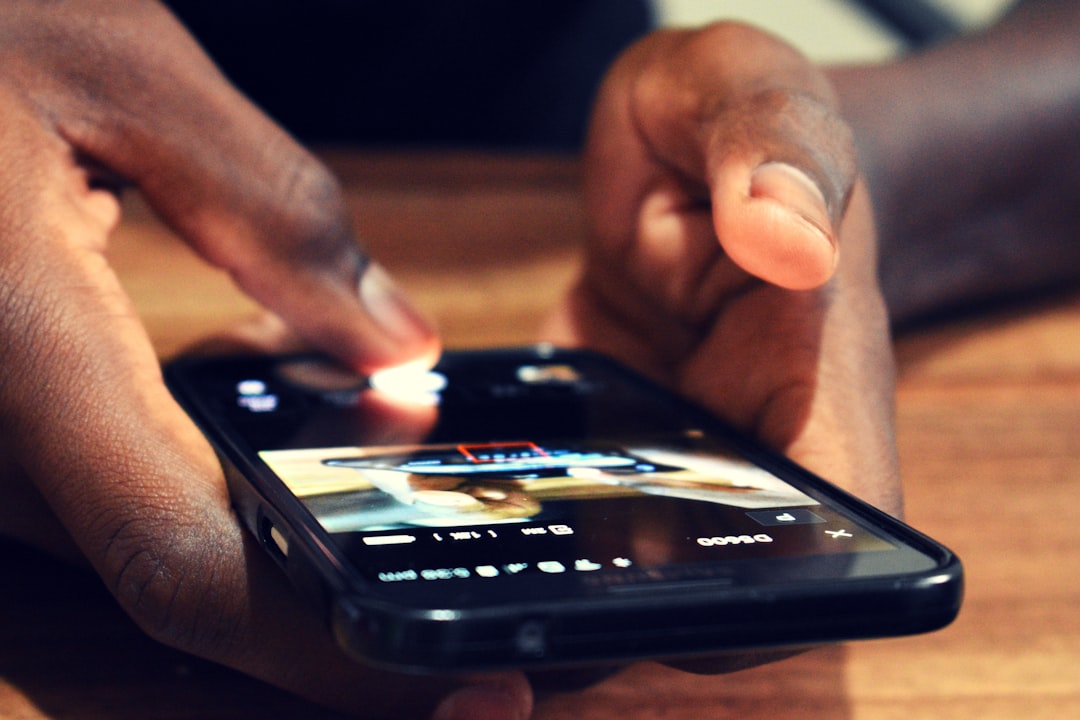
Mobile photo and video editing has become essential for content creators, influencers, and anyone wanting to enhance their visual storytelling directly from their smartphone.
Gone are the days when professional-looking content required expensive desktop software and hours of technical training. Today’s mobile editing applications offer powerful features that rival traditional editing suites, all accessible from the device in your pocket.
Anúncios
Whether you’re creating content for social media, building a personal brand, or simply wanting to make your memories look more polished, the right mobile editing app can transform ordinary footage into extraordinary visual experiences. Let’s explore everything you need to know about editing photos and videos directly from your smartphone. 📱
Why Mobile Editing Has Become the Go-To Solution for Creators
The shift toward mobile editing represents more than just convenience—it’s a complete transformation in how we approach content creation. The portability factor alone changes the game entirely. You can capture a moment and edit it immediately, publishing while the experience is still fresh and relevant.
Anúncios
Modern smartphones pack impressive processing power that handles complex editing tasks smoothly. Combined with intuitive touch interfaces, these devices make editing feel natural and accessible. The learning curve has flattened dramatically compared to desktop alternatives.
Social media integration streamlines the entire workflow. You shoot, edit, and share without ever transferring files between devices. This seamless process keeps content creators agile and responsive to trends, which matters tremendously in today’s fast-paced digital landscape.


Essential Features Every Quality Mobile Editor Should Offer ✨
Not all editing apps are created equal. Understanding which features truly matter helps you choose the right tool for your specific needs and creative vision.
Professional-Grade Editing Tools
The best mobile editors provide layered timelines that let you stack multiple video clips, images, music tracks, and effects. This multi-layer approach mirrors professional desktop software, enabling complex compositions and sophisticated storytelling techniques.
Precise trimming and splitting functions give you frame-accurate control over your content. You’ll want the ability to cut, rearrange, and fine-tune every element until your vision comes to life exactly as imagined.
Advanced color correction tools including curves, HSL adjustments, and selective color grading separate amateur-looking content from professional productions. These features let you establish consistent visual branding across all your content.
Creative Effects and Transitions
Access to diverse transition styles keeps your content dynamic and engaging. Smooth dissolves, creative wipes, and motion-based transitions maintain viewer interest between scenes and segments.
Text and title options with customizable fonts, animations, and positioning help communicate your message clearly. Effective typography enhances storytelling and reinforces brand identity throughout your content.
Filters and presets provide quick styling options while maintaining the flexibility to adjust parameters. The ability to save custom presets ensures consistency across multiple projects and streamlines your workflow significantly.

Maximizing Your Smartphone’s Editing Capabilities 🚀
Having powerful apps means little without understanding how to leverage them effectively. These strategies help you work smarter and achieve better results from your mobile editing sessions.
Organizing Your Content Before You Start
Before opening your editing app, organize your raw footage and photos into logical groups. Create albums or folders that separate different scenes, b-roll footage, and supplementary materials. This preparation saves tremendous time during the actual editing process.
Review your footage and mentally note the strongest moments worth highlighting. Having a rough vision before you start editing provides direction and prevents aimless experimentation that wastes creative energy.
Delete obvious mistakes and unusable clips immediately. Working with a curated selection of quality footage makes the editing interface cleaner and decisions easier throughout the creative process.
Workflow Optimization Techniques
Start with a rough cut that establishes the basic structure and pacing. Get all your clips in approximate order before worrying about fine details, transitions, or color grading. This approach prevents perfectionism from stalling progress early.
Work in passes focusing on one element at a time. Complete all cutting and arrangement first, then add transitions, followed by color correction, then audio mixing, and finally titles and effects. This systematic approach produces more cohesive results.
Save multiple versions as you progress. Mobile apps sometimes crash or updates can behave unexpectedly. Having backup versions at different stages protects hours of creative work from unexpected technical issues.
Audio Editing: The Often Overlooked Game-Changer 🎵
Visual quality grabs attention, but audio quality keeps it. Poor audio drives viewers away faster than almost any other factor, making sound editing absolutely critical for professional results.
Quality mobile editors include multi-track audio mixing, letting you balance dialogue, music, and sound effects independently. Adjusting levels ensures that narration remains clear while background music enhances mood without overwhelming your message.
Background noise reduction tools clean up ambient sounds that distract from your content. Wind noise, traffic sounds, and room echo can be minimized or eliminated, dramatically improving perceived production quality.
Audio ducking automatically lowers music volume when dialogue or narration occurs, then raises it back during pauses. This professional technique ensures your voice always comes through clearly without constant manual adjustments.
Synchronization tools help align audio with video perfectly. Whether you’re syncing separately recorded audio or adjusting for timing issues, precise audio-visual alignment appears seamless and maintains viewer immersion.
Speed and Performance Optimization Tips ⚡
Even powerful smartphones can struggle with demanding editing tasks. These optimization strategies keep your editing sessions smooth and frustration-free.
Lower preview quality during editing if your device struggles with playback. Most apps let you edit at reduced resolution, then export at full quality. This approach maintains editing speed without sacrificing final output quality.
Close background apps before starting intensive editing sessions. Every running application consumes processing power and memory that could otherwise support smoother editing performance.
Keep your device cool during extended editing. Smartphones throttle performance when overheated to prevent damage. Working in cool environments and taking periodic breaks maintains consistent performance throughout longer projects.
Regularly clear cache files from your editing apps. These temporary files accumulate quickly and consume storage space while potentially slowing performance. Most apps include cache-clearing options in their settings menus.
Mastering Photo Editing on Mobile Devices 📸
While video editing captures much attention, photo editing capabilities in modern apps have become equally impressive and deserve equal consideration.
Advanced Retouching Features
Healing and cloning tools remove unwanted objects, blemishes, or distractions from your images. These AI-powered features intelligently fill removed areas, maintaining natural-looking results that would have required extensive desktop work previously.
Selective adjustments let you modify specific areas without affecting the entire image. Brightening a subject’s face while maintaining darker background mood, or boosting sky color without oversaturating foreground elements, provides creative control previously limited to professional software.
Portrait-specific tools including skin smoothing, teeth whitening, and eye enhancement help your subjects look their best. When used subtly, these features create polished results without the artificial appearance of over-processing.
Creative Composition Tools
Perspective correction fixes distortion from wide-angle lenses or awkward shooting angles. Straightening buildings, adjusting horizon lines, and correcting converging lines transforms amateur snapshots into professionally composed images.
Cropping and aspect ratio adjustments optimize images for different platforms. Quickly reformatting content for Instagram stories, YouTube thumbnails, or Facebook posts ensures your visuals display perfectly wherever they’re shared.
Layering capabilities enable complex compositions by combining multiple images, adding textures, or incorporating graphic elements. This functionality opens creative possibilities limited only by your imagination and artistic vision.
Export Settings That Maximize Quality and Compatibility 🎬
Creating amazing content means nothing if export settings compromise quality or create compatibility issues. Understanding proper export configuration ensures your work looks great everywhere it’s viewed.
Resolution selection balances quality and file size. Export at your original filming resolution when quality matters most, or reduce resolution for faster uploads and smaller file sizes when appropriate. Understanding your distribution platform’s requirements guides this decision.
Bitrate settings directly affect video quality and file size. Higher bitrates preserve more detail but create larger files. Most platforms have recommended bitrate ranges that balance quality with reasonable upload times and storage requirements.
Frame rate should typically match your source footage. Converting frame rates can introduce motion artifacts or stuttering playback. Maintain consistency unless you’re intentionally creating slow-motion or time-lapse effects.
File format selection impacts compatibility across devices and platforms. MP4 remains the most universally compatible video format, while JPEG works for photos in most situations. Consider your audience’s likely viewing methods when choosing formats.
Common Mobile Editing Mistakes to Avoid ⚠️
Even experienced creators fall into these traps. Recognizing these common pitfalls helps you develop better editing habits and produce more polished content consistently.
Over-editing represents one of the most frequent mistakes. Excessive filters, too many transitions, and overly saturated colors scream amateur production. Restraint and subtlety typically produce more sophisticated, professional-looking results.
Ignoring aspect ratios for intended platforms wastes valuable screen real estate and looks unprofessional. Vertical video works perfectly for stories and TikTok but appears awkward on YouTube. Planning for your distribution platform from the start prevents reformatting headaches.
Inconsistent pacing either rushes important moments or drags during less engaging content. Developing a sense of rhythm—knowing when to linger and when to move quickly—keeps audiences engaged throughout your content.
Neglecting audio levels creates jarring volume differences that frustrate viewers. Normalizing audio across all clips and maintaining consistent background music levels demonstrates production professionalism that audiences notice subconsciously.
Staying Current with Mobile Editing Trends and Techniques 📈
The mobile editing landscape evolves rapidly, with new features, techniques, and creative approaches emerging constantly. Staying informed keeps your content fresh and competitive.
Follow creators whose work you admire and analyze their editing techniques. Notice their pacing choices, transition styles, color grading approaches, and audio mixing. Studying excellent work accelerates your own skill development tremendously.
Experiment regularly with new features and effects. Apps constantly add capabilities through updates. Dedicating time to explore new tools keeps your creative toolkit expanding and prevents your style from becoming stagnant or predictable.
Join online communities focused on mobile content creation. Forums, social media groups, and creator communities provide inspiration, answer technical questions, and keep you connected with evolving best practices and emerging trends.
Watch tutorials specific to your chosen editing apps. Understanding advanced features and hidden capabilities unlocks creative potential you might never discover through casual exploration alone.
Building Your Signature Editing Style 🎨
Technical proficiency means little without developing a distinctive creative voice. Your editing style becomes part of your brand identity, making your content instantly recognizable to your audience.
Consistency in color grading creates visual cohesion across your content library. Whether you prefer warm, vibrant tones or cool, cinematic looks, maintaining consistent color treatment strengthens brand recognition and professional appearance.
Develop signature transitions or effects that appear regularly in your work. These recurring elements become associated with your content, creating familiarity and comfort for returning viewers while distinguishing your work from competitors.
Pacing rhythm reflects your personality and content style. Fast-paced editing suits energetic, entertainment-focused content, while slower, more contemplative pacing works for educational or storytelling-driven material. Align your editing rhythm with your content’s purpose and your personal brand.
Music selection profoundly influences mood and viewer perception. Developing a consistent musical style or genre preference creates emotional continuity across your content and contributes significantly to overall brand identity.
Taking Your Mobile Editing Skills to Professional Levels 🏆
The gap between casual editing and professional-quality output continues narrowing as mobile apps become more sophisticated. These advanced techniques help bridge that remaining gap entirely.
Keyframe animation allows custom motion paths for clips, images, and effects. Creating smooth zooms, pans, and complex movements adds cinematic quality that static shots cannot achieve. Mastering keyframing dramatically expands creative possibilities.
Chroma keying (green screen effects) enables unlimited background possibilities and creative compositions. Quality mobile editors now include impressive keying tools that rival desktop software when used with properly lit green screen footage.
Motion tracking follows subjects or objects through scenes, keeping effects, text, or blur attached perfectly. This advanced feature creates professional polish in applications from privacy blurring to dynamic text placement.
Speed ramping smoothly accelerates or decelerates footage for dramatic effect. These velocity changes create emphasis, build tension, or add dynamic interest to otherwise static sequences when applied thoughtfully.
Mobile editing has democratized content creation, putting professional-grade tools in everyone’s hands. The barrier to entry has never been lower, while the ceiling for quality continues rising. Your smartphone contains everything needed to create stunning visual content that engages, informs, and inspires audiences worldwide. The only remaining ingredient is your creativity, commitment, and willingness to continually develop your skills. Start experimenting today, and you’ll be amazed at what you can accomplish with just your phone and imagination. 🌟
