
Anúncios
Video editing apps have revolutionized content creation, empowering users worldwide to produce professional-quality videos directly from their smartphones with intuitive tools and creative freedom.
The digital age has transformed how we capture, edit, and share visual stories. What once required expensive equipment and specialized software can now be accomplished with a few taps on a mobile device. Video editing applications have democratized content creation, making it accessible to everyone from casual social media users to aspiring filmmakers.
Anúncios
Whether you’re crafting engaging content for TikTok, producing YouTube videos, or simply preserving family memories with a creative touch, video editing apps offer powerful features that fit in your pocket. These tools combine simplicity with sophistication, allowing users to trim clips, add music, apply filters, insert text overlays, and create professional transitions without needing technical expertise.
🎬 Why Mobile Video Editing Has Become Essential
The shift toward mobile-first content consumption has fundamentally changed how videos are created and shared. Smartphones now capture footage in stunning 4K resolution, and editing apps have evolved to match this quality. The convenience of editing on-the-go means creators can capture a moment and share it with their audience within minutes, maintaining relevance and spontaneity.
Anúncios
Social media platforms prioritize video content in their algorithms, making video editing skills increasingly valuable. Short-form videos dominate platforms like Instagram Reels, TikTok, and YouTube Shorts, creating demand for quick, impactful editing solutions. Mobile video editors bridge the gap between raw footage and polished content that captures attention in crowded feeds.
Professional videographers and filmmakers have also embraced mobile editing apps for quick edits, client previews, and social media promotion. The ability to edit anywhere removes creative barriers and allows for immediate feedback and iteration. This flexibility has made video editing apps indispensable tools in modern digital workflows.


✨ Core Features That Define Quality Video Editing Apps
The best video editing applications share several characteristics that elevate them above basic trimming tools. Understanding these features helps users choose the right app for their specific needs and creative vision.
Timeline-Based Editing
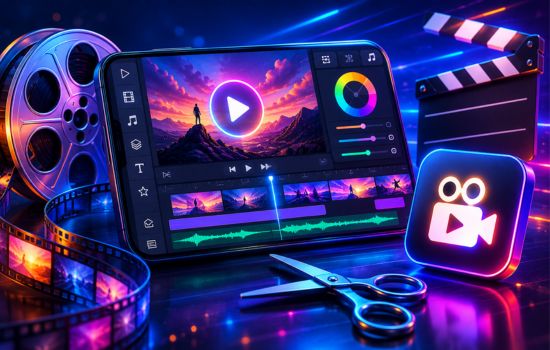
Professional-grade video editors offer timeline interfaces that display video clips, audio tracks, and overlay elements in a visual sequence. This approach provides precise control over timing, transitions, and synchronization. Users can drag and drop elements, adjust clip duration, and see exactly how their project flows from beginning to end.
Multi-Layer Editing Capabilities
Advanced apps support multiple video layers, allowing creators to overlay footage, add picture-in-picture effects, and create complex compositions. This feature is essential for tutorials, reaction videos, and creative storytelling that requires visual depth. Layer management enables sophisticated effects that were once exclusive to desktop software.
Comprehensive Audio Tools
Sound quality can make or break a video. Top-tier editing apps include audio mixing, volume adjustment, fade effects, and voice-over recording. Many also feature royalty-free music libraries, sound effects collections, and the ability to extract audio from video files. Precise audio synchronization ensures professional results that engage viewers.
Text and Title Options
Effective communication often requires on-screen text. Quality video editors provide diverse font libraries, animation presets, and customization options for titles, captions, and lower thirds. Animated text can emphasize key points, guide viewer attention, and enhance storytelling without requiring separate animation software.
🚀 Popular Video Editing Apps and Their Strengths
The marketplace offers numerous video editing solutions, each with unique advantages tailored to different user needs and skill levels. Selecting the right application depends on your content type, platform requirements, and creative ambitions.
Apps for Social Media Content Creators
Social media-focused editors prioritize quick workflows, platform-specific aspect ratios, and trending effects. These apps often include templates aligned with current social media trends, making it easy to create content that resonates with contemporary audiences. Built-in sharing features streamline the process from editing to publication.
Features like automatic beat synchronization match cuts to music rhythm, creating dynamic videos that hold viewer attention. Preset filters and color grading options maintain visual consistency across content series. Many apps also offer analytics integration to track video performance directly from the editing interface.
Professional-Grade Mobile Editors
For users requiring advanced capabilities, professional mobile editors deliver desktop-level features with touchscreen optimization. These applications support high-resolution exports, color correction tools, keyframe animation, and chroma key compositing. They appeal to filmmakers, videographers, and serious content creators who refuse to compromise on quality.
Advanced masking tools, speed ramping, and LUT support provide creative control comparable to traditional editing suites. Cloud integration enables seamless project transfers between mobile and desktop environments, accommodating flexible workflows that adapt to different production scenarios.
Beginner-Friendly Options
Not everyone needs complex features or steep learning curves. Beginner-focused video editors emphasize simplicity, guided workflows, and automated processes. These apps use artificial intelligence to suggest edits, automatically stabilize shaky footage, and enhance audio quality with minimal user input.
Template-based editing allows novices to create impressive videos by simply inserting their clips into pre-designed structures. Step-by-step tutorials within the app help users learn editing principles while working on actual projects. This approach builds confidence and skills progressively without overwhelming newcomers.
🎨 Creative Effects and Enhancement Tools
Modern video editing apps go beyond basic cutting and splicing to offer creative tools that transform ordinary footage into captivating visual experiences. These features distinguish amateur content from professional-looking productions.
Filters and Color Grading
Color manipulation dramatically affects video mood and aesthetic. Professional apps include color wheels, saturation controls, and preset LUTs (Look-Up Tables) that replicate cinematic color schemes. Users can create custom color profiles that establish brand identity or artistic style across multiple videos.
Advanced color correction tools fix exposure issues, white balance problems, and color casts that occur in challenging lighting conditions. Selective color adjustments target specific hues without affecting the entire image, providing nuanced control over visual presentation.
Transitions and Animation
Smooth transitions maintain viewer engagement as scenes change. Beyond standard fades and cuts, premium editors offer creative transitions like glitch effects, geometric wipes, and morphing animations. Custom transition timing creates unique pacing that matches content tone and energy.
Keyframe animation enables movement of elements across the screen, creating dynamic text introductions, animated logos, and attention-directing effects. Motion tracking follows subjects through footage, allowing graphics and text to remain anchored to moving objects.
Visual Effects and Overlays
From lens flares to particle effects, visual enhancements add production value that elevates content above standard recordings. Green screen capabilities enable background replacement, transporting subjects to any location or creative environment. Blur effects direct attention, conceal sensitive information, or create depth-of-field aesthetics.
Stickers, emojis, and graphic overlays inject personality and humor into videos. Many apps feature regularly updated collections aligned with current trends, holidays, and viral moments. Customizable overlays allow brand-consistent graphics that reinforce identity across content libraries.
📱 Performance Considerations and Device Requirements
While video editing apps offer incredible capabilities, they demand significant processing power and storage. Understanding these requirements ensures smooth editing experiences and prevents frustration from crashes or slow rendering.
Processing Power and RAM
Video editing taxes mobile processors more than most applications. Devices with newer chipsets and ample RAM (at least 4GB, preferably 6GB or more) handle multiple video layers, real-time previews, and complex effects more efficiently. Older devices may struggle with high-resolution footage or advanced features.
Rendering times vary dramatically based on device capabilities. A project that exports in minutes on a flagship phone might take significantly longer on mid-range or older devices. Users should consider their device specifications when choosing between feature-rich professional apps and lighter alternatives.

Storage Requirements
Video files consume substantial storage space, especially at 4K resolution. A single minute of 4K footage can occupy several hundred megabytes. Editors should maintain significant free storage—ideally 20-30GB—to accommodate both source files and rendered projects without performance degradation.
Cloud storage integration helps manage space limitations by archiving completed projects and source footage. Many apps offer project backups to cloud services, protecting against data loss while freeing local storage. External storage solutions provide additional capacity for serious creators.
💡 Tips for Maximizing Video Editing Efficiency
Efficient workflows save time and reduce frustration, allowing creators to focus on creativity rather than technical challenges. These strategies streamline the editing process for both beginners and experienced users.
Organize Footage Before Editing
Reviewing and organizing clips before importing them into an editing app eliminates wasted time searching through footage. Delete unusable takes, rename files descriptively, and group related clips into folders. This preparation creates smoother editing sessions with less distraction.
Learn Keyboard Shortcuts and Gestures
Most mobile editing apps support touch gestures that accelerate common tasks. Pinch-to-zoom, two-finger scrubbing, and long-press actions reduce menu navigation. Learning these shortcuts significantly speeds up editing, making the process feel more intuitive and responsive.
Utilize Templates and Presets
Templates aren’t just for beginners—they’re efficiency tools for anyone creating regular content. Custom presets for frequently used effects, color grades, and text styles eliminate repetitive adjustments. Building a personal library of templates maintains consistency while reducing production time.
Edit in Stages
Breaking the editing process into distinct phases improves focus and results. First, assemble the rough cut with all primary clips. Second, refine timing and transitions. Third, add audio and music. Fourth, incorporate text and graphics. Finally, apply color correction and effects. This systematic approach prevents overwhelm and ensures no elements are overlooked.
🌐 Exporting and Sharing Your Finished Videos
Creating beautiful edits means nothing if export settings diminish quality or platform algorithms suppress reach. Understanding export parameters ensures your work displays optimally across different platforms and devices.
Resolution and Aspect Ratio Selection
Different platforms favor specific aspect ratios. YouTube and traditional video sharing work best with 16:9 widescreen format. Instagram and TikTok prioritize vertical 9:16 videos that fill mobile screens. Square 1:1 format works across multiple platforms but doesn’t maximize screen real estate on any single one.
Export resolution should match or exceed source footage quality. For social media, 1080p provides excellent quality with manageable file sizes. YouTube supports 4K for viewers with capable displays. Higher resolutions future-proof content as screen technology evolves but create larger files that take longer to upload and process.
Compression and File Formats
Balancing quality and file size requires understanding compression. H.264 codec delivers wide compatibility with good compression efficiency. H.265 (HEVC) produces smaller files with similar quality but has limited compatibility on older devices. Most platforms automatically recompress uploaded videos, so extremely high bitrates provide minimal benefit.
MP4 format offers universal compatibility across platforms and devices. MOV files work seamlessly in Apple ecosystems but may cause issues elsewhere. Platform-specific export presets optimize settings automatically, removing guesswork from technical specifications.
Direct Sharing Features
Integrated sharing streamlines distribution by uploading directly to social platforms from within the editing app. This convenience saves time and often maintains better quality than downloading then re-uploading. Built-in scheduling features help maintain consistent posting schedules without requiring separate social media management tools.
🔐 Privacy and Watermark Considerations
Free video editing apps often include watermarks on exported content, branding videos with the app’s logo. While this advertises the software, it diminishes professional appearance and distracts viewers from your content and message.
Premium subscriptions typically remove watermarks while unlocking additional features like expanded music libraries, advanced effects, and priority customer support. For creators monetizing content or building professional brands, these subscriptions represent worthwhile investments that pay dividends in credibility and viewer perception.
Privacy-conscious users should review app permissions carefully. Video editors require storage access but shouldn’t need contacts, location, or other unrelated data. Reading privacy policies clarifies how apps handle user content, whether footage is analyzed for AI training, and if cloud backups are encrypted.
📈 The Future of Mobile Video Editing
Artificial intelligence continues reshaping video editing capabilities. Automated scene detection identifies key moments, assembling highlight reels with minimal user input. AI-powered background removal eliminates green screens, performing complex masking automatically. Voice-activated controls may soon enable hands-free editing through natural language commands.
Augmented reality integration will blur lines between filming and editing, applying effects in real-time during capture. Collaborative editing features enable teams to work on shared projects simultaneously, regardless of physical location. As 5G networks expand, cloud-based processing will offload intensive rendering to powerful servers, making device specifications less critical.
The democratization of professional tools empowers diverse voices and perspectives in media creation. Stories that traditional gatekeepers might overlook now reach global audiences through mobile-edited content. This shift enriches global culture with authentic narratives that reflect the full spectrum of human experience.
🎯 Choosing the Right App for Your Creative Journey
Selecting a video editing application requires honest assessment of your needs, skills, and goals. Beginners benefit from simplified interfaces that teach fundamentals without overwhelming complexity. Intermediate users should seek apps balancing ease-of-use with expanding feature sets that accommodate growing skills.
Advanced creators and professionals need tools offering maximum control without compromising mobile convenience. Trial periods and free versions allow hands-on evaluation before financial commitment. Community forums and tutorial availability indicate active user bases that provide support and inspiration.
Your chosen app should feel intuitive rather than frustrating, empowering creativity instead of limiting vision. The perfect video editor disappears into the background, becoming an extension of your creative process rather than an obstacle to overcome. With the right tool in hand, your stories gain wings, reaching audiences and making impacts that extend far beyond the screen.
Start creating today—your unique perspective deserves to be shared with the world. The tools exist, the audience awaits, and your creative journey begins with a single edit. Whether you’re documenting daily life, building a business, or pursuing artistic expression, video editing apps provide the gateway to visual storytelling that resonates, inspires, and connects across boundaries.
