
Anúncios
Ever wanted to bring Alexa’s powerful voice assistant capabilities to your smartphone? Discover how apps can transform your phone into a fully functional Alexa device.
The Amazon Alexa app has revolutionized how we interact with smart technology, bringing the full power of voice control directly to your smartphone. Whether you own an iPhone or Android device, you can access Alexa’s extensive features without purchasing a dedicated Echo device.
Anúncios
This comprehensive guide explores everything you need to know about transforming your phone into an Alexa-powered assistant. From initial setup to advanced features, you’ll discover why millions of users worldwide rely on this app for daily tasks, smart home control, and entertainment.
🔍 What Makes the Alexa App Essential for Your Smartphone
The Amazon Alexa application serves as your gateway to voice-controlled convenience. Unlike dedicated Echo devices, your smartphone version offers portability and accessibility wherever you go. You can ask questions, control smart home devices, play music, set reminders, and manage your daily schedule—all through simple voice commands.
Anúncios
What sets this app apart is its seamless integration with your existing Amazon ecosystem. If you already use Amazon services for shopping, entertainment, or cloud storage, the Alexa app becomes an incredibly powerful hub that connects everything together. The app receives regular updates, ensuring you always have access to the latest features and skills.
Beyond basic voice commands, the app provides a visual interface for managing your Alexa-enabled devices, browsing skills, customizing routines, and reviewing your interaction history. This combination of voice and touch control creates a versatile experience that adapts to different situations throughout your day.


📲 Getting Started: Download and Initial Setup
Installing the Alexa app on your smartphone is straightforward and takes just a few minutes. The app is available for both Android and iOS devices, supporting a wide range of phone models and operating system versions. Once downloaded, you’ll need an Amazon account to activate all features.
After opening the app for the first time, you’ll be guided through a setup wizard that helps configure your preferences. This includes granting necessary permissions like microphone access, location services, and notifications. These permissions enable Alexa to respond to voice commands and provide location-based information.
The setup process also introduces you to essential features like hands-free mode, which allows you to activate Alexa by simply saying the wake word. You can customize your experience by selecting your preferred language, linking music services, and connecting compatible smart home devices right from the start.
Creating Your Amazon Account Connection
Your Amazon account serves as the foundation for your Alexa experience. If you don’t already have one, creating an account is free and takes only a few moments. This account links all your Alexa interactions, preferences, and smart home configurations across multiple devices.
Once logged in, the app syncs your previous Alexa settings if you’ve used the service before. This means your favorite skills, routines, and device groups automatically appear on your smartphone. For new users, you start with a clean slate ready for customization.
Granting Essential Permissions
To function properly, the Alexa app requires several smartphone permissions. Microphone access is crucial for voice recognition, while location services help provide weather updates, local news, and location-based reminders. Contact access enables features like making calls through Alexa.
Notification permissions ensure you receive alerts for package deliveries, reminders, and smart home notifications. While you can selectively grant permissions, enabling all recommended settings provides the most comprehensive experience.
🎙️ Voice Commands and Everyday Functionality
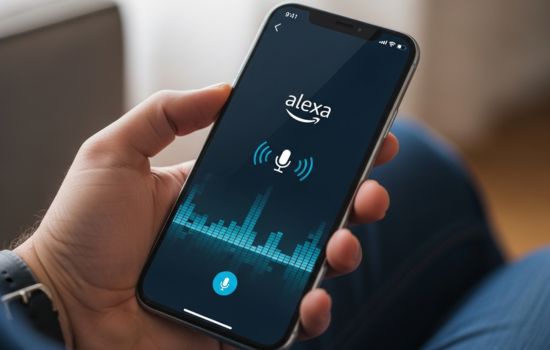
The true power of transforming your phone into Alexa lies in voice interaction. Simply tap the blue Alexa button or use the wake word to start a conversation. You can ask about weather forecasts, news updates, sports scores, or general knowledge questions with natural language.
Shopping becomes incredibly convenient through voice commands. Add items to your shopping list, reorder previous purchases, or track package deliveries—all without typing. The app remembers your preferences and purchase history, making recommendations based on your habits.
Entertainment options are vast and easily accessible. Request specific songs, artists, albums, or playlists from compatible music services like Amazon Music, Spotify, or Apple Music. You can also listen to podcasts, audiobooks from Audible, or radio stations from around the world.
Managing Your Calendar and Reminders
Alexa excels at helping you stay organized throughout busy days. Set reminders for important tasks, create calendar events, or ask what’s on your schedule. The app integrates with popular calendar services like Google Calendar, Outlook, and Apple Calendar.
Time-based reminders work perfectly for medication schedules, workout routines, or recurring tasks. Location-based reminders trigger when you arrive at or leave specific places, ensuring you never forget groceries when passing your favorite store.
Communication Features Worth Exploring
The Alexa app transforms your phone into a communication hub. Make hands-free calls to other Alexa users or phone numbers in supported countries. Drop In allows you to connect instantly with designated contacts, perfect for checking in with family members.
Announcements broadcast messages to all your Alexa devices simultaneously, useful for households with multiple Echo speakers. This creates an intercom system that keeps everyone connected across different rooms or even locations.

🏠 Smart Home Control at Your Fingertips
One of the most compelling reasons to use the Alexa app is comprehensive smart home management. The app discovers and connects with thousands of compatible devices from hundreds of brands. Lights, thermostats, locks, cameras, plugs, and entertainment systems all become voice-controllable.
Setting up smart devices through the app is remarkably simple. Navigate to the Devices section, tap the plus icon, and follow the prompts to add new equipment. The app automatically discovers most devices on your network, requiring minimal manual configuration.
Creating device groups enhances control efficiency. Group all living room lights together, then control them with a single command. Organize devices by room or function, making your smart home intuitive and responsive to natural language requests.
Routines That Automate Your Life
Routines represent Alexa’s most powerful automation feature. These custom sequences trigger multiple actions with a single command or automatically based on schedules and conditions. A morning routine might turn on lights, read your calendar, provide weather updates, and start your coffee maker.
Creating routines through the app is straightforward and highly customizable. Choose triggers like voice commands, specific times, device states, or even when you arrive home. Then add actions that control devices, play media, adjust settings, or deliver information.
Advanced users can create complex conditional routines that adapt to different situations. For example, your “goodnight” routine might behave differently on weekdays versus weekends, or adjust based on current weather conditions.
Monitoring and Security Integration
Smart security devices gain enhanced functionality through the Alexa app. View camera feeds directly within the app interface, receive motion detection alerts, and review recorded footage. Compatible video doorbells let you see and speak with visitors remotely.
Smart locks integrate seamlessly, allowing you to check lock status or remotely secure your home. Some systems support voice commands for unlocking, though this typically requires additional authentication for security purposes.
🎵 Music and Entertainment Capabilities
The Alexa app serves as a comprehensive entertainment controller. Beyond voice commands, the visual interface lets you browse music libraries, create playlists, and discover new content. The app supports multiple music services simultaneously, letting you switch between providers effortlessly.
Amazon Music subscribers enjoy deep integration with enhanced features like HD and spatial audio support. However, the app works equally well with Spotify, Apple Music, Pandora, TuneIn, and other popular services. Link your preferred platforms in the settings menu.
Podcasts and audiobooks receive first-class treatment within the Alexa ecosystem. Audible integration is particularly seamless, allowing you to resume books exactly where you left off across devices. Podcast playback includes convenient controls for speed adjustment and chapter navigation.
Multi-Room Audio Synchronization
If you own multiple Echo devices, the app enables multi-room music groups. Play the same song throughout your home or different content in each room. The app provides an intuitive interface for selecting which speakers play which content.
Creating speaker groups takes seconds through the app’s Devices section. Name your groups descriptively—”Downstairs,” “Bedrooms,” “Whole House”—then control them with simple voice commands or app controls.
🧩 Alexa Skills: Expanding Functionality Infinitely
Skills represent third-party applications that extend Alexa’s capabilities far beyond built-in features. The Alexa Skills Store contains tens of thousands of options across categories like productivity, games, education, health, fitness, and lifestyle.
Popular skills include meditation guides, recipe helpers, language learning tools, trivia games, and specialized news sources. Many major brands offer skills that integrate their services directly into your Alexa experience.
Enabling skills through the app is simple—browse categories, read descriptions and reviews, then tap “Enable to Use.” Some skills require account linking for full functionality, which the app handles through secure authentication processes.
Discovering Hidden Gems in the Skills Store
While popular skills often rank highest, exploring niche categories reveals specialized tools for specific needs. Productivity enthusiasts find sophisticated task management skills, while fitness devotees discover workout coaches and nutrition trackers.
The app’s recommendation engine suggests skills based on your usage patterns and interests. Pay attention to featured skills, as Amazon regularly highlights quality additions that showcase innovative voice interactions.
⚙️ Customization and Privacy Settings
The Alexa app provides extensive customization options that personalize your experience. Voice profiles allow multiple household members to receive individualized responses based on who’s speaking. Each profile maintains separate preferences, shopping lists, and personalized content.
Privacy controls give you transparency and control over your data. Review and delete voice recordings, manage skill permissions, and control what information Alexa can access. The app makes these settings easily accessible and understandable.
Communication preferences let you decide who can contact you through Alexa and which features you want enabled. Block unwanted contacts, disable Drop In for specific devices, or turn off calling features entirely if preferred.
Managing Your Voice History
Your voice interaction history is viewable through the app’s settings. Review what Alexa heard, how it interpreted your commands, and what actions resulted. This transparency helps you understand system behavior and identify opportunities for clearer communication.
You can delete individual recordings, filter by date range, or enable automatic deletion after specific periods. Amazon offers options for three-month or eighteen-month automatic deletion, balancing convenience with privacy preferences.
🔋 Battery Optimization and Performance Tips
Running a voice assistant app continuously can impact battery life, but several strategies minimize consumption. Disable always-listening mode if you don’t need constant wake word detection. Instead, use the manual activation button when you want to interact with Alexa.
Background refresh settings affect how often the app updates information while not actively in use. Adjust these settings based on your notification needs and battery priorities. Less frequent updates conserve power at the cost of slightly delayed notifications.
Reducing the number of enabled skills and removing unused smart home devices decreases background processing. Periodically review your connected services and devices, removing those no longer needed.
Network Connectivity Considerations
The Alexa app requires internet connectivity for most features. Using Wi-Fi instead of mobile data conserves your cellular plan and often provides faster response times. However, the app functions adequately on 4G/5G connections when Wi-Fi isn’t available.
Weak network signals can cause delayed responses or failed commands. If you experience frequent issues, check your internet connection strength and consider router placement improvements or network upgrades.
🆚 Comparing Smartphone Alexa to Echo Devices
While the Alexa app provides extensive functionality, dedicated Echo devices offer advantages in certain situations. Echo speakers provide superior audio quality for music playback and far-field microphones that hear commands from across rooms.
However, your smartphone offers portability that stationary Echo devices can’t match. Take Alexa anywhere—to the park, on vacation, or to work. Your phone also provides a visual interface that simplifies complex tasks like browsing skills or configuring routines.
Many users find the ideal setup combines both: Echo devices for home automation and entertainment, complemented by the smartphone app for on-the-go access. This hybrid approach maximizes the strengths of each platform.
🚀 Advanced Features for Power Users
Beyond basic functionality, the Alexa app supports sophisticated use cases for technical enthusiasts. IFTTT integration connects Alexa to hundreds of additional services through custom applets. Create automations that trigger actions across disparate platforms.
Developer features allow technically-minded users to create custom skills for personal use. The Alexa Skills Kit provides tools for building voice interactions tailored to specific needs not addressed by existing skills.
Blueprint skills offer a middle ground—templates for creating simple custom skills without coding knowledge. Make custom trivia games, personalized stories, or specialized flash card sets for learning.
Exploring Beta Features and Early Access
Amazon occasionally offers beta features to users willing to test experimental functionality. These early access programs provide glimpses of upcoming capabilities and opportunities to provide feedback that shapes future development.
Check the app settings periodically for beta program invitations. Participation is typically voluntary and reversible, allowing you to try new features without permanent commitment.
🌍 International Support and Language Options
The Alexa app supports numerous languages and regional variations, making it accessible to users worldwide. Beyond English, you’ll find support for Spanish, French, German, Italian, Japanese, Portuguese, and many others.
Multilingual mode enables Alexa to understand and respond in multiple languages without manual switching. This proves invaluable for multilingual households where different family members prefer different languages.
Regional availability affects certain features like shopping, calling, and specific skills. The app automatically adapts to your location, presenting region-appropriate content and services while maintaining core functionality globally.
💡 Troubleshooting Common Issues
Occasional problems are normal with complex apps, but most issues resolve quickly with simple solutions. If Alexa stops responding to voice commands, check microphone permissions and ensure the app has necessary access.
Connection issues with smart home devices often stem from network problems. Verify all devices are on the same Wi-Fi network and that your router is functioning properly. Disabling and re-enabling devices in the app can refresh connections.
If the app crashes or behaves unexpectedly, try clearing the cache, updating to the latest version, or reinstalling completely. These steps resolve most software-related problems without losing your settings.
When to Contact Support
Persistent issues that don’t resolve through basic troubleshooting warrant contacting Amazon support. The app includes built-in support access through the settings menu. Describe your problem clearly, including specific error messages and steps that trigger the issue.
Community forums also provide valuable assistance, as other users often share solutions to common problems. Search existing discussions before posting new questions—your issue may already have documented solutions.
🎯 Maximizing Value from Your Mobile Alexa Experience
Transforming your smartphone into an Alexa device opens tremendous possibilities for convenience, entertainment, and home automation. The key to maximizing value lies in regularly exploring new features, experimenting with skills, and creating routines that genuinely simplify your daily life.
Start with basic functions and gradually incorporate advanced features as you become comfortable. Don’t feel pressured to use every capability—focus on what genuinely improves your routine. Some users rely heavily on smart home control, while others prioritize entertainment or productivity features.
Regular updates bring new capabilities, so revisit the app periodically to discover additions. Amazon continuously enhances Alexa’s intelligence, expanding what’s possible through voice interaction. Your smartphone Alexa grows more capable over time without requiring hardware upgrades.
The Alexa app represents one of the most accessible entry points into voice-controlled smart living. Whether you’re starting your smart home journey or expanding an existing ecosystem, your smartphone provides a powerful, portable command center. Download the app today and experience how voice technology can transform your relationship with technology.
