
Anúncios
With 5G networks rolling out globally, users expect lightning-fast speeds and seamless connectivity. However, optimizing your device to fully leverage this technology often requires the right tools.;
The promise of 5G technology extends far beyond just faster download speeds. It represents a fundamental shift in how we interact with mobile networks, offering lower latency, improved reliability, and the capacity to connect more devices simultaneously. Yet, many smartphone users notice their 5G connection doesn’t always perform as expected.
Anúncios
This is where specialized applications come into play. These tools help diagnose connection issues, optimize network settings, and ensure your device maintains the strongest possible signal. Whether you’re streaming high-definition content, gaming online, or working remotely, having a stable 5G connection can make all the difference in your daily digital experience.
📡 Understanding 5G Connectivity Challenges
Before exploring solutions, it’s essential to understand why 5G connections sometimes underperform. Unlike previous generations of mobile networks, 5G operates on multiple frequency bands, each with distinct characteristics and limitations.
Anúncios
High-frequency millimeter waves (mmWave) deliver extraordinary speeds but struggle with penetration through walls and buildings. Mid-band frequencies offer a balance between speed and coverage, while low-band 5G provides extensive reach but speeds comparable to advanced 4G LTE networks.
Your device constantly switches between these bands based on signal strength and network availability. Environmental factors like building materials, weather conditions, and network congestion can all impact your connection quality. Additionally, not all 5G networks are created equal—some carriers deploy different infrastructure that affects real-world performance.


🔍 Common Symptoms of Poor 5G Performance
Recognizing connection issues helps you address them effectively. Users experiencing 5G connectivity problems typically notice:
- Frequent disconnections or network drops during active use
- Slower-than-expected download and upload speeds
- High latency during video calls or online gaming sessions
- Difficulty maintaining stable connections in specific locations
- Excessive battery drain when connected to 5G networks
- Apps timing out or failing to load content properly
These symptoms don’t necessarily indicate hardware problems. Often, they stem from network configuration issues, carrier settings, or suboptimal signal routing that specialized apps can help resolve.
🚀 How Connection Enhancement Apps Work
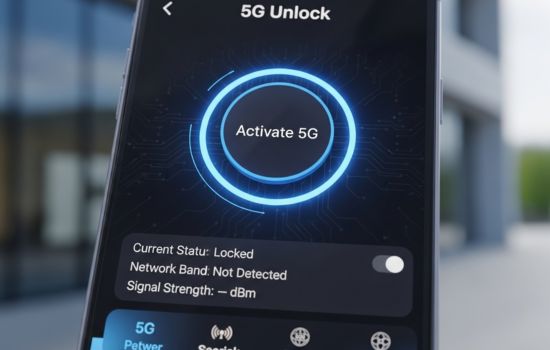
Modern connection optimization applications employ several strategies to improve your 5G experience. They analyze network parameters, monitor signal strength across different bands, and provide actionable insights to maximize performance.
These tools typically measure key metrics including signal strength (measured in dBm), signal quality (RSRQ), signal-to-noise ratio (SINR), and reference signal received power (RSRP). By monitoring these values in real-time, the app can identify when you’re connected to suboptimal towers or experiencing interference.
Advanced applications also offer network diagnostics that test actual throughput, latency, and packet loss. This goes beyond simple speed tests to provide comprehensive assessments of your connection quality under various conditions.
⚙️ Key Features to Look For
When selecting a 5G optimization app, certain features prove particularly valuable:
- Real-time signal monitoring: Continuous tracking of signal strength and quality metrics
- Network band identification: Clear indication of which 5G frequency you’re currently using
- Tower location mapping: Visual representation of nearby cell towers and their signal coverage
- Speed testing: Comprehensive bandwidth measurements for downloads, uploads, and latency
- Connection history: Logs tracking performance over time to identify patterns
- Network switching controls: Tools to manually select preferred networks or bands
- Data usage tracking: Monitoring consumption to prevent overages on limited plans
The most effective apps combine these features with user-friendly interfaces that make complex technical information accessible to everyone, regardless of technical expertise.;
📊 Measuring Your Current 5G Performance
Establishing a baseline understanding of your current network performance provides context for improvements. Begin by conducting speed tests at different times throughout the day and in various locations you frequently use your device.
Pay attention to the specific 5G band your device connects to during these tests. Many smartphones display this information in field test mode or through dedicated apps. Notice whether you’re on low-band (600-850 MHz), mid-band (2.5-3.7 GHz), or high-band mmWave (24-47 GHz) frequencies.
📈 Interpreting Signal Strength Metrics
Understanding the numbers helps you make informed decisions about optimizing your connection:
| Metric | Excellent | Good | Fair | Poor |
|---|---|---|---|---|
| RSRP (dBm) | -80 or higher | -80 to -90 | -90 to -100 | Below -100 |
| RSRQ (dB) | -10 or higher | -10 to -15 | -15 to -20 | Below -20 |
| SINR (dB) | 20 or higher | 13 to 20 | 0 to 13 | Below 0 |
These measurements provide objective data about your connection quality. If your readings consistently fall into the “fair” or “poor” categories, optimization strategies become particularly important.

🛠️ Practical Optimization Strategies
Beyond using specialized apps, several practical approaches can enhance your 5G connectivity. These work in conjunction with monitoring tools to deliver measurable improvements.
Start by ensuring your device software remains current. Carriers frequently release updates that improve network compatibility and optimize radio performance. These updates often include new carrier settings that enhance how your phone communicates with 5G towers.
📍 Location-Based Optimization
Physical positioning significantly affects 5G performance, especially with higher-frequency bands. When experiencing poor connectivity indoors, moving closer to windows or exterior walls often improves signal reception dramatically.
Understanding where nearby 5G towers are located helps you position yourself optimally. Network mapping features in connection apps display tower locations, allowing you to orient yourself toward the strongest signal sources.
In buildings with known connectivity challenges, identifying which rooms or areas provide better reception lets you work strategically when stable connections matter most.
🔋 Balancing Performance and Battery Life
5G connectivity, particularly on high-frequency bands, consumes more power than previous network generations. Optimization apps help you monitor this consumption and make informed choices about when to prioritize speed versus battery longevity.
Many devices offer network preference settings that let you choose between 5G, LTE, or automatic switching. When battery life becomes critical and you don’t need maximum speeds, temporarily switching to LTE can extend device usage significantly.
Smart network selection features in advanced apps can automate this process, switching to more efficient networks when 5G signal quality drops below useful thresholds.
🌐 Network-Specific Considerations
Different mobile carriers deploy 5G infrastructure with varying strategies and technologies. Understanding your specific carrier’s network characteristics helps you optimize accordingly.
Some carriers focus primarily on low-band 5G for maximum coverage, while others invest heavily in mid-band or mmWave deployments in urban areas. Your optimization approach should align with the type of 5G service available in your region.
🏙️ Urban vs. Rural 5G Optimization
Urban environments typically offer access to all 5G frequency bands but face challenges with network congestion and signal interference from buildings. In these areas, apps that help identify less congested towers or optimal positioning within buildings prove most valuable.
Rural areas usually have fewer towers broadcasting over longer distances on low-band frequencies. Here, signal strength monitoring and tower location mapping become essential for finding and maintaining connections.
Suburban areas often represent a middle ground, with improving 5G infrastructure but inconsistent coverage. Connection apps help you identify reliable 5G zones and understand where networks fall back to LTE.
🔐 Privacy and Security Considerations
When using network optimization apps, understanding their permissions and data handling practices protects your privacy. Legitimate apps require certain permissions to function—location access for tower mapping, network state access for monitoring connections, and sometimes phone state access for gathering signal metrics.
Review what data these apps collect and whether they share information with third parties. Reputable developers clearly disclose their privacy practices and limit data collection to what’s necessary for functionality.
Avoid apps requesting unnecessary permissions unrelated to network optimization, such as access to contacts, messages, or camera functions. These represent potential privacy risks without legitimate technical justification.
💡 Advanced Tips for Power Users
For those comfortable with technical settings, additional optimization opportunities exist beyond standard app features. Many Android devices offer field test modes that display raw network data and advanced configuration options.
Accessing these modes varies by manufacturer but typically involves entering specific codes in the phone dialer. These modes let you view detailed information about cell towers, network bands, and signal parameters in real-time.
🎯 Network Band Locking
Some advanced apps and device settings allow manually locking to specific 5G bands. This prevents your phone from constantly searching between different frequencies, potentially improving stability in areas with inconsistent coverage.
However, band locking requires understanding which frequencies work best in your location. Use monitoring periods to identify optimal bands before implementing locks, and remember to unlock when traveling to areas with different network configurations.
📱 Maximizing Your 5G Investment
5G represents a significant technological advancement, but realizing its full potential requires active optimization. Specialized apps provide the tools needed to diagnose issues, monitor performance, and make informed decisions about network usage.
By understanding signal metrics, implementing positioning strategies, and using quality monitoring tools, you can dramatically improve your 5G experience. These improvements translate to faster downloads, more stable video calls, better gaming performance, and overall enhanced mobile connectivity.
The transition to 5G continues evolving as carriers expand infrastructure and device manufacturers refine their implementations. Staying informed about network developments in your area and maintaining current software ensures you benefit from ongoing improvements.
🎁 Getting Started with Connection Optimization
Beginning your optimization journey doesn’t require technical expertise. Start by downloading a reputable 5G monitoring app and spending a few days observing your connection patterns. Notice when and where signal quality drops, identify which network bands provide the best performance in your common locations, and use this data to adjust your usage patterns.
Most people discover specific times or locations where connectivity challenges occur repeatedly. Armed with this knowledge, you can implement targeted solutions—whether repositioning yourself, switching network preferences, or planning bandwidth-intensive activities for times when signal quality peaks.
The goal isn’t achieving perfect connectivity everywhere, which remains unrealistic given current infrastructure limitations. Instead, focus on understanding your network environment well enough to work around its constraints and maximize performance when it matters most.
🌟 The Future of Mobile Connectivity
As 5G networks mature and eventually give way to future generations, the principles of connection optimization remain relevant. Understanding network fundamentals, monitoring performance metrics, and strategically managing your device’s connectivity will continue providing value regardless of underlying technology.
Emerging technologies like network slicing, edge computing, and advanced beamforming will further enhance 5G capabilities. Staying current with optimization tools ensures you benefit from these advancements as they become available through carrier networks.
Investing time in optimizing your current 5G connection builds knowledge and habits that will serve you well throughout future network evolutions. The skills you develop now—interpreting signal metrics, understanding network architecture, and troubleshooting connectivity issues—represent lasting digital literacy that transcends any single technology generation.
With the right tools and understanding, transforming an inconsistent 5G experience into reliable, high-performance connectivity becomes achievable for everyone. The combination of specialized apps, informed positioning strategies, and ongoing monitoring creates a foundation for maximizing your mobile network investment both now and in the years ahead.
