
Anúncios
Imagine turning your smartphone into a professional measuring tool with just one tap. That’s exactly what modern camera-based measurement apps can do for you today.


Gone are the days when you needed to carry a physical tape measure for every little project. Whether you’re shopping for furniture, planning a room renovation, or simply curious about the dimensions of an object, your smartphone camera now has the power to measure virtually anything in seconds.
Anúncios
These innovative applications leverage augmented reality (AR) technology and your phone’s built-in sensors to calculate distances, heights, and dimensions with impressive accuracy. Let’s explore how these digital measuring tools are transforming everyday tasks and making life easier for everyone from DIY enthusiasts to professional contractors. 📱
How Camera Measurement Apps Actually Work
The technology behind camera-based measurement apps is fascinating yet surprisingly straightforward. These applications use a combination of augmented reality, computer vision, and your smartphone’s internal sensors to calculate real-world dimensions.
Anúncios
When you point your camera at an object, the app analyzes the visual data and uses reference points to establish scale. Most modern smartphones come equipped with depth sensors, gyroscopes, and accelerometers that work together to understand spatial relationships. The AR framework creates a virtual overlay on your screen, allowing you to place measurement points with precision.
The accuracy depends on several factors, including your phone’s hardware capabilities, lighting conditions, and how steady you hold the device. Higher-end smartphones with LiDAR scanners, like recent iPhone Pro models, can achieve remarkably precise measurements, often within 1-2% of actual dimensions.
Top Features to Look For in Measurement Apps 🔍
Not all measurement apps are created equal. When choosing the right tool for your needs, consider these essential features that separate exceptional apps from mediocre ones:
- Multiple measurement modes: Look for apps that offer linear measurements, area calculations, volume estimation, and height detection
- Save and share functionality: The ability to store measurements and share them via email or messaging apps
- Photo capture with annotations: Taking pictures with measurement overlays for future reference
- Unit conversion: Seamless switching between metric and imperial systems
- Calibration options: Manual calibration features to improve accuracy on different surfaces
- History tracking: Access to previously taken measurements for ongoing projects
Practical Applications in Everyday Life
The versatility of camera measurement apps extends far beyond what most people initially imagine. These digital tools have become indispensable companions in countless scenarios.
Home decorators use them to determine whether that perfect sofa will fit through the doorway before making an expensive purchase. Real estate professionals quickly measure room dimensions during property visits without fumbling with traditional measuring tapes. Parents check if their child’s new bike will fit in the car trunk before heading to the store.
Travelers rely on these apps to ensure their luggage dimensions comply with airline restrictions. Gardeners plan their planting layouts by measuring garden beds and spacing requirements. Even artists and photographers use measurement apps to calculate frame sizes and optimal hanging heights for gallery walls.

Professional Uses That Boost Productivity ⚡
Beyond casual home use, professionals across various industries have embraced camera measurement technology as a legitimate business tool. Contractors use these apps for quick on-site estimates, reducing the time spent on preliminary measurements and allowing them to quote projects faster.
Interior designers create accurate floor plans by measuring room dimensions, window placements, and ceiling heights during initial client consultations. This eliminates the need for return visits solely dedicated to measurements, streamlining the design process considerably.
Shipping and logistics professionals calculate package dimensions instantly to determine appropriate shipping costs and container requirements. Furniture makers verify space constraints at installation sites before delivering custom pieces, avoiding costly returns or modifications.
Maximizing Accuracy: Tips and Techniques
While camera measurement apps are incredibly convenient, following certain best practices ensures you get the most accurate results possible from your smartphone tool.
Always calibrate your app when first using it, especially if it offers manual calibration features. This typically involves measuring a known reference object, like a standard credit card or ruler, to help the app establish accurate scale.
Lighting plays a crucial role in measurement accuracy. Work in well-lit environments whenever possible, as shadows and dim conditions can interfere with the app’s ability to detect edges and surfaces properly. Natural daylight provides the best results, though consistent artificial lighting works well too.
Keep your phone steady while taking measurements. Small movements can throw off calculations, particularly for longer distances. Consider using both hands or even a small tripod for particularly important measurements. Take multiple readings of the same object and compare results to ensure consistency.
Understanding Limitations and When to Use Traditional Tools 📏
Despite their impressive capabilities, camera measurement apps have limitations that users should understand. These digital tools excel at convenience and speed but may not always match the precision of traditional measuring instruments in every situation.
For critical applications requiring absolute precision—such as construction projects, engineering work, or manufacturing—traditional measuring tools remain the gold standard. A measurement app showing 3.2 meters might actually be 3.18 or 3.23 meters, a difference that could prove significant in professional settings.
Reflective or transparent surfaces can confuse measurement apps since the camera struggles to detect accurate edges. Measuring glass tables, mirrors, or shiny metal objects often produces inconsistent results. Similarly, very small objects under a few centimeters may be challenging to measure accurately due to the limitations of camera resolution and AR calibration.
Outdoor measurements in bright sunlight sometimes prove difficult because screen glare makes it hard to see the measurement overlay clearly. Wind can also cause unwanted phone movement, affecting accuracy.
Comparing Free vs Premium Measurement Apps
The app marketplace offers both free and paid measurement solutions, each with distinct advantages. Understanding these differences helps you choose the right option for your specific needs and frequency of use.
Free measurement apps typically provide basic functionality that’s perfectly adequate for occasional home users. You can measure distances, heights, and sometimes calculate areas without spending anything. However, these free versions often include advertisements, limited save functions, or watermarked export images.
Premium versions, usually available through one-time purchases or subscriptions, unlock advanced features like unlimited saves, cloud synchronization across devices, detailed measurement history, export options in various formats, and ad-free experiences. Professional users who rely on these tools daily generally find the investment worthwhile for the enhanced functionality and time savings.
Privacy Considerations When Using Camera Apps 🔒
As with any app that accesses your camera, privacy and data security deserve consideration. Reputable measurement apps should clearly explain what data they collect and how they use it in their privacy policies.
Most legitimate measurement apps process visual data locally on your device rather than uploading images to external servers. This approach protects your privacy while still delivering accurate measurements. However, some apps with cloud features may store measurement data or photos online for synchronization purposes.
Before downloading any measurement app, review the permissions it requests. A genuine measurement tool needs camera access but shouldn’t require access to unrelated features like your contacts, messages, or call logs. Be wary of apps requesting excessive permissions beyond what’s necessary for measurement functionality.
The Future of Augmented Reality Measurement Technology
The evolution of smartphone measurement technology shows no signs of slowing down. As augmented reality frameworks become more sophisticated and smartphone sensors continue improving, we can expect even more impressive capabilities in the coming years.
Future measurement apps will likely incorporate artificial intelligence to automatically detect objects and suggest measurement points, eliminating manual placement entirely. Machine learning could enable apps to recognize common items—like doorways, furniture, or appliances—and provide instant dimensions without any user input.
Integration with 3D modeling software represents another exciting frontier. Imagine capturing room measurements that automatically generate accurate 3D models suitable for virtual staging or renovation planning. Some early versions of this technology already exist, but widespread accessibility remains on the horizon.
Improved accuracy through hardware advancements will narrow the gap between digital and traditional measuring tools. As more smartphones adopt LiDAR and advanced depth-sensing technology, precision measurements rivaling professional equipment become increasingly feasible.
Getting Started: Your First Measurement Project 🎯
Ready to try camera measurement for yourself? Starting with a simple project helps you understand the app’s capabilities and build confidence before tackling more complex measurements.
Begin by measuring familiar objects whose dimensions you already know, like a standard door (typically 80 inches tall) or your desk. This practice run lets you verify the app’s accuracy against known values and familiarize yourself with the interface controls.
Next, try measuring something you’ve been curious about—perhaps the perfect spot for a new bookshelf or the dimensions of your living room for a furniture layout. Take your time placing measurement points carefully, ensuring they align precisely with the object’s edges.
Document your measurements by saving them within the app or taking screenshots. This creates a reference library you can access anytime, whether you’re shopping online or discussing project details with contractors.
Troubleshooting Common Measurement Issues
Even experienced users occasionally encounter challenges when using camera measurement apps. Knowing how to address common problems ensures smooth operation and reliable results.
If measurements seem consistently inaccurate, recalibrate the app using a known reference object. Environmental factors like poor lighting or cluttered backgrounds can interfere with detection algorithms, so clearing your workspace and improving illumination often resolves issues.
When the app fails to detect surfaces properly, try changing your angle or distance from the object. Sometimes moving closer or farther away helps the camera establish better reference points. Ensure your phone’s camera lens is clean, as smudges or dirt significantly impact measurement accuracy.
Battery drain during extended measurement sessions is normal since AR features demand significant processing power. Keep a charger handy for lengthy projects, or take breaks to preserve battery life for other essential phone functions.
Why Your Phone’s Measuring App Beats Traditional Tools in Many Scenarios
While traditional measuring tapes and rulers aren’t disappearing anytime soon, smartphone measurement apps offer distinct advantages that make them superior choices in specific situations.
Convenience stands as the most obvious benefit—you always carry your phone, but rarely have a tape measure in your pocket during spontaneous shopping trips or unexpected measurement needs. The instant availability means never missing opportunities to gather important dimensional information.
Digital measurements eliminate transcription errors since data is automatically recorded and stored. No more scribbling numbers on scraps of paper that inevitably get lost. You can take photos with measurement overlays, creating visual records that communicate dimensions far more effectively than numbers alone.
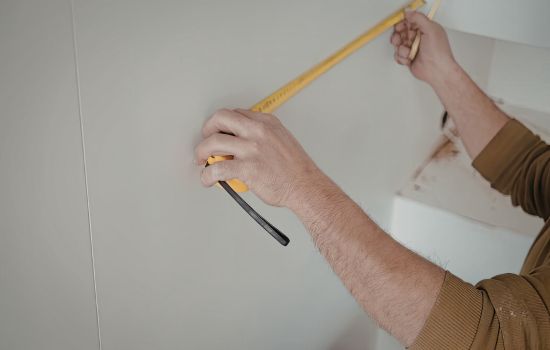
Measuring difficult-to-reach areas becomes manageable with camera apps. Estimating ceiling height, measuring tall walls, or gauging distances across rooms happens safely from ground level without ladders or assistants holding the other end of a tape measure.
Making the Most of Your Digital Measuring Assistant 💡
Integrating a measurement app into your daily routine unlocks countless practical benefits beyond the obvious applications. Creative users discover innovative ways to leverage this technology for enhanced productivity and problem-solving.
Create a home inventory by measuring and photographing your belongings for insurance purposes. Document room dimensions before moving to new residences, helping you plan furniture placement and determine what items will fit in your new space.
Use measurement apps while shopping to verify product dimensions against available space at home. This prevents the disappointment of purchasing items that don’t fit, saving time and return shipping costs on online orders.
Share measurements with family members or collaborators working on joint projects. The visual nature of annotated photos communicates spatial information far more effectively than verbal descriptions, reducing misunderstandings and ensuring everyone works with identical specifications.
Camera-based measurement technology represents one of the most practical applications of augmented reality in everyday life. As these apps continue evolving and smartphone capabilities advance, the line between digital convenience and professional precision will continue blurring, making accurate measurements accessible to everyone, anywhere, anytime. Your smartphone truly has become the ultimate multi-tool for modern living! 🌟
