
Anúncios
Video editing apps have transformed how creators produce content, making professional-quality editing accessible right from your smartphone, anytime and anywhere.


The rise of social media platforms like TikTok, Instagram, and YouTube has created an unprecedented demand for engaging video content.
Anúncios
Whether you’re a budding influencer, small business owner, or simply someone who loves sharing moments with friends and family, having a powerful video editor in your pocket has become essential.
Mobile video editing apps have evolved dramatically over the past few years, offering features that were once exclusive to desktop software.
Anúncios
From transitions and filters to advanced color grading and multi-layer editing, these apps empower anyone to tell compelling visual stories without needing expensive equipment or technical expertise.
📱 Why Mobile Video Editing Has Become Essential
The shift toward mobile-first content creation isn’t just a trend—it’s a fundamental change in how we communicate visually. Smartphones now capture stunning 4K footage, and the convenience of editing on the same device you shoot with streamlines the entire creative process.
Modern video editor apps recognize this shift and are designed specifically for touch interfaces, making complex editing tasks intuitive and accessible. You can trim clips with a swipe, apply filters with a tap, and export polished videos in minutes rather than hours.
For content creators working under tight deadlines, this speed and accessibility are game-changers. You can film a product review in the morning, edit it during lunch, and have it published before dinner—all without ever touching a computer.
🎬 Key Features to Look For in a Video Editing App
Not all video editing apps are created equal. Understanding which features matter most for your specific needs will help you choose the right tool and maximize your creative potential.
Timeline and Multi-Layer Editing
A robust timeline is the backbone of any serious video editor. Look for apps that allow multiple video and audio tracks, giving you the flexibility to overlay footage, add picture-in-picture effects, and create complex compositions.
Multi-layer support enables you to work with background videos, text overlays, stickers, and audio tracks simultaneously, opening up creative possibilities that simple trimming apps can’t match.
Transitions and Visual Effects
Smooth transitions between clips make your videos feel polished and professional. The best apps offer a variety of transition styles—from simple fades to dynamic wipes and 3D effects—that help maintain viewer engagement.
Visual effects like slow motion, reverse playback, and speed ramping add cinematic flair to your content. These features allow you to emphasize key moments and create dramatic impact without needing advanced technical skills.
Audio Editing Capabilities
Great video is only half the equation—audio quality can make or break your content. Look for apps that offer volume control, audio ducking (automatically lowering background music when you speak), and sound effects libraries.
The ability to add voiceovers, synchronize audio with video clips, and remove background noise elevates your productions from amateur to professional grade.
Text and Subtitle Tools
Text overlays are crucial for social media content, where many users watch videos without sound. Advanced text tools should offer multiple fonts, animations, and the ability to style text with colors, shadows, and outlines.
Subtitle generation features, especially those with automatic speech recognition, save enormous amounts of time and make your content more accessible to broader audiences.

🌟 Popular Use Cases for Video Editor Apps
Understanding how different creators use video editing apps can inspire your own projects and help you discover features you might not have considered before.
Social Media Content Creation
Instagram Reels, TikTok videos, and YouTube Shorts have specific aspect ratios and duration requirements. Quality video editors include preset formats for these platforms, automatically optimizing your content for maximum engagement.
Trending templates and effects help creators jump on viral challenges quickly, while customization options ensure your content maintains a unique identity even when following popular formats.
Business and Marketing Videos
Small businesses and entrepreneurs use video editor apps to create product demonstrations, testimonials, and promotional content without hiring expensive production companies. The ROI on learning to edit your own videos can be substantial.
Features like logo overlays, brand color presets, and professional transitions help maintain consistent branding across all your video content, building recognition and trust with your audience.
Personal Memories and Travel Vlogs
Transforming raw vacation footage into shareable highlight reels preserves your memories in engaging formats. Music integration, geographic text overlays, and date stamps help tell the story of your adventures.
Stabilization features can smooth out shaky handheld footage, making your home videos look more professional and pleasant to watch.
Educational and Tutorial Content
Teachers, coaches, and subject matter experts use video editors to create instructional content. Screen recording integration, annotation tools, and chapter markers make complex topics easier to understand and navigate.
Picture-in-picture functionality allows you to demonstrate techniques while keeping yourself visible in a corner of the screen, maintaining personal connection with your audience.
⚡ Tips for Faster, More Efficient Mobile Editing
Mastering a few key techniques can dramatically speed up your editing workflow and improve the quality of your final products.
Organize Your Footage Before Editing
Before importing clips into your editor, review your raw footage and delete obviously unusable takes. This reduces clutter in your timeline and makes finding the perfect shot much faster.
Create albums or folders in your phone’s photo library to organize footage by project, making it easy to locate specific clips when you need them.
Use Templates and Presets
Many advanced video editors offer templates for common video types—intros, outros, lower thirds, and complete video structures. These templates provide professional starting points that you can customize with your own content.
Save your frequently used settings as custom presets. If you always export at specific resolutions or use particular color grading, presets eliminate repetitive configuration steps.
Edit Audio Separately
Rather than trying to perfect video and audio simultaneously, many professionals edit them separately. Lock your video track and focus on audio levels, music timing, and sound effects. Then lock the audio and fine-tune visual elements.
This focused approach reduces cognitive load and often results in better overall quality since you’re giving full attention to each element.
Export in Stages for Complex Projects
For longer or more complex videos, consider breaking your project into segments. Edit and export each section separately, then combine the finished segments in a final project. This approach reduces the risk of app crashes and makes troubleshooting easier.
🎨 Creative Techniques to Elevate Your Videos
Technical proficiency with your editing app is just the beginning. Applying creative techniques separates forgettable content from videos that capture and hold attention.
Match Cuts and Visual Continuity
Match cuts—where similar visual elements in consecutive clips create seamless transitions—add sophistication to your edits. For example, transitioning from a circular object in one shot to a similar shape in the next creates visual flow.
Maintaining consistent color palettes and lighting across cuts helps videos feel cohesive, even when filmed in different locations or times.
Pacing and Rhythm
The rhythm of your edits should match the mood you’re creating. Fast-paced cuts with energetic music work well for action content, while slower, longer shots suit contemplative or emotional pieces.
Editing to the beat of your background music creates a satisfying synchronization that viewers feel subconsciously, making content more engaging even if they can’t articulate why.
Strategic Use of B-Roll
B-roll footage—supplementary clips that illustrate what you’re discussing—adds visual interest and covers awkward cuts in your main footage. If you’re talking about coffee, showing close-ups of brewing, pouring, or sipping keeps viewers engaged.
Always shoot more B-roll than you think you’ll need. Having options during editing gives you creative flexibility and solutions when your main footage isn’t quite right.
Color Grading for Mood
Beyond basic filters, color grading adjusts the temperature, tint, and saturation of your footage to create specific emotional responses. Warmer tones feel inviting and nostalgic, while cooler tones can appear modern and professional.
Subtle color corrections often make bigger impacts than dramatic filters. Ensuring skin tones look natural while enhancing backgrounds creates professional-looking results.
📊 Optimizing Videos for Different Platforms
Each social media platform has unique technical requirements and audience expectations. Tailoring your content accordingly maximizes reach and engagement.
| Platform | Optimal Aspect Ratio | Maximum Length | Key Features |
|---|---|---|---|
| Instagram Reels | 9:16 (Vertical) | 90 seconds | Trending audio, hashtags |
| TikTok | 9:16 (Vertical) | 10 minutes | Effects, duets, stitches |
| YouTube Shorts | 9:16 (Vertical) | 60 seconds | Subscribe prompts, links |
| Facebook Feed | 1:1 or 4:5 | 240 minutes | Captions, shares |
| Twitter/X | 16:9 (Horizontal) | 2 minutes 20 seconds | Quick hooks, threads |
Understanding these specifications helps you plan your shoots and edits more effectively. Filming in vertical format specifically for Instagram and TikTok produces better results than cropping horizontal footage.
🔧 Common Editing Challenges and Solutions
Even experienced editors encounter obstacles. Knowing how to address common issues saves time and frustration.
Managing Storage and Performance
High-resolution video files consume enormous storage space quickly. Regularly transfer completed projects to cloud storage or external drives to free up space on your device.
If your app is lagging or crashing, try working with lower-resolution proxies during editing, then switching to full resolution only for final export. Most advanced apps support this workflow.
Dealing with Shaky Footage
Built-in stabilization features can rescue otherwise unusable clips. While they may crop your footage slightly, the improvement in watchability is usually worth the trade-off.
For extreme shakiness, consider embracing it as a stylistic choice or using faster cuts to minimize how long viewers see unstable footage.
Audio Synchronization Issues
When audio and video fall out of sync, it’s often due to variable frame rates or file format incompatibilities. Re-importing files or converting them to consistent formats usually solves the problem.
Some apps include automatic sync features that align audio waveforms, making it easy to match separately recorded audio with video footage.
🚀 Advanced Features Worth Exploring
As you become comfortable with basic editing, exploring advanced features unlocks new creative possibilities and keeps your content fresh.
Keyframe Animation
Keyframes allow you to animate virtually any parameter—position, scale, rotation, opacity—over time. This creates smooth movements like zooming into details or panning across images.
Learning keyframe animation takes your editing from static to dynamic, adding production value that rivals professionally created content.
Chroma Keying (Green Screen)
Chroma key effects let you replace solid-colored backgrounds with any image or video. This technique, once limited to professional studios, is now available in many mobile apps.
Creative applications extend beyond weather forecasts—you can place yourself in exotic locations, create split-screen effects, or add impossible backgrounds that capture imagination.
Motion Tracking
Motion tracking automatically follows moving objects in your footage, allowing you to attach text, graphics, or effects that move with the subject. This creates polished, professional-looking results that would be tedious to animate manually.
💡 Building Your Unique Editing Style
While technical skills are important, developing a recognizable editing style sets your content apart and builds audience loyalty.
Study creators whose work you admire and identify what makes their editing distinctive—is it their pacing, color grading, music choices, or transition styles? Then experiment with incorporating those elements in ways that feel authentic to your voice.
Consistency doesn’t mean repetition. Establish certain signature elements—perhaps a specific intro style or text animation—while varying other aspects to keep content fresh and engaging.
Your editing style should enhance your content’s message rather than overshadow it. The best editing serves the story, guiding viewers’ attention without calling undue attention to itself.
🎓 Continuous Learning and Improvement
The video editing landscape evolves constantly, with new features, techniques, and trends emerging regularly. Committing to ongoing learning keeps your skills sharp and your content competitive.
Follow editing-focused creators on social media who share tips and tutorials. Many offer quick, actionable advice that you can immediately apply to your projects.
Challenge yourself periodically with new techniques or effects you haven’t tried before. Even if you don’t use them regularly, expanding your toolkit makes you a more versatile creator.
Most importantly, keep creating. Every video you edit teaches you something new about storytelling, timing, and what resonates with your audience. The gap between good and great editing is bridged by consistent practice and thoughtful experimentation.
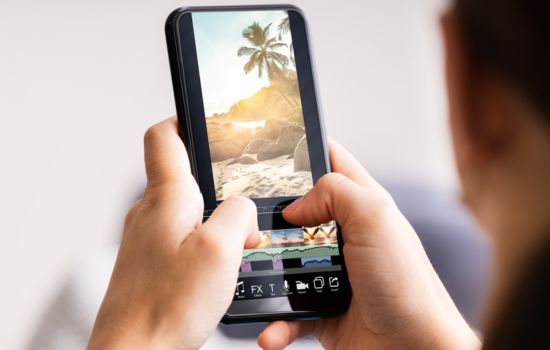
✨ Transforming Ideas into Visual Stories
A powerful video editor app is more than just software—it’s a creative partner that helps transform your ideas into compelling visual narratives. Whether you’re building a business, growing a personal brand, or simply preserving memories, these tools make professional-quality video creation accessible to everyone.
The technical barriers that once separated amateur from professional video have largely disappeared. What remains—and what truly matters—is your creativity, your unique perspective, and your willingness to tell stories that connect with audiences.
Start with the basics, experiment fearlessly, and remember that every successful creator was once a beginner figuring out their first edit. The best time to begin crafting your visual stories is right now, with the powerful editing tools already in your pocket. 🎥
