
Anúncios
Pinterest has revolutionized how millions of users discover, save, and share visual inspiration across countless creative categories, from home décor to fashion, recipes, and beyond.


Whether you’re planning a wedding, remodeling your kitchen, searching for outfit ideas, or simply looking to fuel your creativity, Pinterest serves as your personal visual search engine and digital mood board. The platform combines social media elements with powerful search functionality, making it uniquely positioned in the digital landscape.
Anúncios
With over 450 million monthly active users worldwide, Pinterest has grown from a simple pinboard concept into a comprehensive visual discovery tool that influences purchasing decisions, sparks creativity, and connects people with ideas they never knew they needed. Let’s explore what makes this visual inspiration app so compelling and how you can harness its full potential.
🎨 What Makes Pinterest Different from Other Social Platforms
Unlike traditional social media networks that focus on personal updates and social connections, Pinterest operates as a visual discovery engine. Users don’t come here primarily to see what friends are doing—they come to find ideas, solutions, and inspiration for their projects and interests.
Anúncios
The platform’s core functionality revolves around “pins”—images or videos that users save to organized collections called “boards.” This bookmarking approach creates a personalized library of inspiration that users can reference anytime. The emphasis is on discovery rather than broadcasting, making it feel less like social media and more like a curated magazine tailored specifically to your interests.
Pinterest’s algorithm learns from your interactions, continuously refining recommendations based on what you save, search, and engage with. This creates an increasingly personalized experience that gets better over time, helping you discover content aligned with your evolving interests and projects.
📱 Navigating the Pinterest App Interface
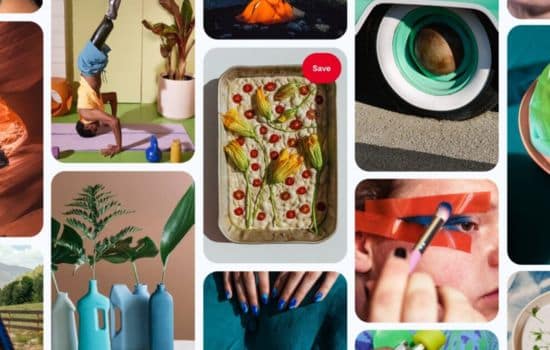
The Pinterest mobile app features an intuitive design that makes visual browsing effortless. Upon opening the app, you’re greeted with a customized home feed showcasing pins tailored to your interests. The interface prioritizes visual content, displaying images in a cascading grid layout that’s both aesthetically pleasing and functional.
The bottom navigation bar provides quick access to key sections: Home, Search, Plus button for creating content, Messages for communication, and your Profile. This streamlined approach ensures you’re never more than a tap away from any major function.
When you tap on any pin, you enter a detailed view showing the full image, description, source link, and related pins. This context helps you understand the content while providing pathways to discover similar ideas. The save button allows you to quickly add pins to your boards, while the share and send options facilitate collaboration with others.
🔍 Powerful Search Capabilities
Pinterest’s search function goes beyond simple keyword matching. The visual search tool lets you take a photo or upload an image to find similar items, styles, or ideas. This proves incredibly useful when you spot something inspiring in real life and want to find more like it.
The search bar also offers smart suggestions as you type, helping you refine queries and discover related topics you might not have considered. These guided searches make exploration intuitive, even when you’re not entirely sure what you’re looking for.
Once you perform a search, Pinterest provides filtering options to narrow results by category, board, or specific visual attributes. This refinement capability ensures you find exactly what you need without endless scrolling through irrelevant content.
💡 Creating and Organizing Your Digital Inspiration Library
Building your Pinterest presence starts with creating boards—thematic collections that organize your saved pins. Think of boards as digital folders or scrapbook pages dedicated to specific topics, projects, or interests. You might create boards for “Kitchen Renovation Ideas,” “Fall Fashion Inspiration,” “Healthy Recipes,” or “Travel Bucket List.”
The app allows you to create both public boards (visible to anyone) and secret boards (private to you and invited collaborators). Secret boards prove invaluable for surprise planning, like birthday parties or proposal ideas, where you need to keep your research hidden from certain people.

Board sections add another organizational layer, letting you divide boards into subcategories. For instance, a “Home Décor” board might have sections for “Living Room,” “Bedroom,” “Kitchen,” and “Bathroom.” This hierarchical structure keeps extensive collections manageable and navigable.
✨ Saving Content Effectively
When you find a pin you love, saving it takes just one tap. The app prompts you to select a destination board, with options to create a new board if needed. You can also add notes to saved pins, which helps when you return later and need context about why you saved something.
Pinterest’s browser extension and mobile sharing options mean you can save content from anywhere on the web. When browsing other websites, you can pin images directly to your boards, building your collection from diverse sources beyond Pinterest’s native content.
The “Tried It” feature lets you mark pins you’ve actually used or purchased, adding personal reviews and photos. This functionality transforms Pinterest from merely aspirational to practical, helping you track what worked and share authentic feedback with others.
🎯 Leveraging Pinterest for Different Life Areas
Pinterest’s versatility means it serves multiple purposes across various aspects of life. Understanding how to leverage the platform for different needs maximizes its value and utility in your daily routine.
🏡 Home and DIY Projects
For home improvement and decoration, Pinterest functions as an endless catalog of ideas, tutorials, and inspiration. Users find color schemes, furniture arrangements, storage solutions, and complete room makeovers. The platform excels at showing you possibilities you hadn’t imagined for your space.
DIY enthusiasts discover step-by-step tutorials with images, supply lists, and helpful tips from others who’ve completed similar projects. This community knowledge helps you avoid common pitfalls and achieve better results with your handmade creations.
👗 Fashion and Style Inspiration
Pinterest serves as a personal stylist, offering outfit combinations, seasonal trends, and shopping inspiration. Users create boards for different style aesthetics, occasions, or seasonal wardrobes, building a visual reference library for getting dressed.
The platform’s visual nature makes it perfect for discovering how to style pieces you already own differently or identifying gaps in your wardrobe. Many users photograph their own closets and create outfit combinations using their actual clothing.
🍳 Recipe Discovery and Meal Planning
Food content thrives on Pinterest, with millions of recipes spanning every cuisine, dietary preference, and skill level. The visual format lets you see finished dishes before committing to a recipe, ensuring your efforts will yield appealing results.
Users organize recipe boards by meal type, special diets, or occasions, creating personalized digital cookbooks. The ability to access these collections from your phone while grocery shopping or cooking makes Pinterest practical for everyday meal preparation.
✈️ Travel Planning and Wanderlust
Travel planning becomes more inspiring and organized with Pinterest. Users create boards for destinations they’re visiting or dream of exploring, collecting information on attractions, restaurants, accommodations, and hidden gems recommended by fellow travelers.
The platform aggregates travel content from bloggers, tourism boards, and other travelers, providing diverse perspectives and insider tips you won’t find in traditional guidebooks. Packing lists, itinerary templates, and travel hacks add practical value to the inspirational content.
🚀 Advanced Pinterest Features Worth Exploring
Beyond basic pinning and browsing, Pinterest offers sophisticated features that enhance your experience and unlock new ways to engage with visual content.
📊 Pinterest Lens: Visual Search Technology
Pinterest Lens represents one of the platform’s most innovative features. Using your phone’s camera, you can identify objects in the real world and find similar items or ideas on Pinterest. Spot a lamp you love in a restaurant? Point your camera at it, and Pinterest shows where to buy similar pieces or how to incorporate that style into your home.
This technology works across numerous categories, from furniture and fashion to food and plants. It bridges the gap between physical inspiration and digital discovery, making Pinterest useful beyond your screen time.
🛍️ Shop the Look and Product Pins
Pinterest has integrated shopping functionality that transforms inspiration into action. Shop the Look pins feature white dots on images indicating purchasable items. Tap a dot to see product details, pricing, and where to buy.
Product Pins automatically sync information from retailers, including real-time pricing and availability. This seamless connection between discovery and purchase makes Pinterest increasingly influential in consumer shopping journeys.
📹 Video Pins and Idea Pins
Video content on Pinterest brings dynamic inspiration to the platform. Short tutorials, time-lapses, and demonstrations provide richer context than static images alone. Video Pins autoplay in your feed, catching attention and conveying processes that benefit from motion.
Idea Pins (formerly Story Pins) offer a multi-page format combining images, videos, and text to share complete stories or tutorials. Creators use this format for step-by-step guides, before-and-after transformations, or narrative content that requires more depth than single pins provide.
👥 Collaborative Features and Community Engagement
While Pinterest emphasizes personal discovery, collaborative features add social dimensions that enhance the experience for certain use cases.
Group boards allow multiple contributors to save pins to a shared collection. This proves valuable for team projects, event planning with multiple organizers, or collaborative inspiration gathering among friends. Wedding planning particularly benefits from group boards, letting couples, family members, and wedding planners all contribute ideas.
The messaging feature enables direct communication with other users, facilitating conversations about shared pins or boards. You can send specific pins to friends who might appreciate them, creating a more intimate sharing experience than public social platforms offer.
Following other users whose taste aligns with yours curates a more personalized home feed. Unlike follower-focused social networks, following on Pinterest centers on content quality and shared interests rather than social relationships.
🎨 For Content Creators: Building a Pinterest Presence
If you’re a blogger, business owner, or creative professional, Pinterest offers significant opportunities to reach engaged audiences actively seeking content like yours.
Creating original pins that link back to your website drives substantial traffic. Pinterest users are in discovery and planning modes, making them particularly receptive to valuable content. High-quality vertical images (2:3 aspect ratio works best) with clear text overlays and compelling descriptions perform optimally.
Business accounts unlock analytics showing how your pins perform, which content resonates with audiences, and demographic information about who engages with your pins. These insights inform content strategy and help you create more of what your audience wants.
Rich Pins automatically pull metadata from your website, providing extra context and making your pins more useful and clickable. Article Rich Pins show headlines and author information, while Recipe Rich Pins display ingredients and cooking times directly on the pin.
🔐 Privacy and Settings to Customize Your Experience
Pinterest provides various privacy controls and customization options that let you tailor the platform to your preferences and comfort level.
You can choose whether your profile and boards appear in search engines, control who can message you, and decide if others can invite you to group boards. These settings balance discoverability with privacy according to your personal preferences.
The platform’s search and account settings let you hide specific topics, making your feed more aligned with what you actually want to see. If certain content consistently appears that doesn’t interest you, telling Pinterest improves future recommendations.
Notification settings deserve attention to prevent Pinterest from becoming overwhelming. Customizing which activities trigger notifications ensures you stay informed about meaningful interactions without constant interruptions.
💎 Tips for Getting the Most from Pinterest
Maximizing Pinterest’s value requires strategic approaches that go beyond casual browsing and random pinning.
Use descriptive board names that clearly indicate content. Generic names like “Stuff I Like” make it difficult to find specific pins later, while descriptive names like “Minimalist Bedroom Ideas” help you navigate your collection efficiently.
Regularly review and curate your boards, removing pins that no longer resonate or serve your needs. This maintenance keeps your collection relevant and useful rather than cluttered with outdated content.
Engage with the notes feature when saving pins, adding context about why you saved something, measurements, color codes, or modifications you plan. These notes prove invaluable when you return to implement ideas months later.
Schedule dedicated Pinterest browsing time rather than mindlessly scrolling. Approaching the platform with specific projects or questions in mind makes your time more productive and satisfying.
Don’t hesitate to delete boards that no longer serve you. Interests evolve, projects get completed, and keeping only active, relevant boards makes Pinterest more useful for your current life stage.
🌟 Why Pinterest Continues Thriving in the Social Media Landscape
In an era where many social platforms face criticism for negatively impacting mental health and fostering comparison culture, Pinterest maintains a more positive reputation. The platform’s focus on future aspirations rather than present-moment sharing creates a different emotional dynamic.
Users report that Pinterest inspires rather than depresses them, offering creative solutions and possibilities rather than highlighting others’ seemingly perfect lives. This aspirational yet practical nature gives Pinterest enduring appeal even as social media trends shift.
The platform’s utility factor distinguishes it from entertainment-focused social networks. People return to Pinterest because it helps them accomplish real goals—cooking dinner, decorating their homes, planning events, and solving everyday challenges.
As visual content continues dominating digital communication, Pinterest’s pure visual focus positions it well for continued relevance. The integration of AI and machine learning continuously improves personalization, making the platform increasingly valuable to individual users over time.
🎯 Making Pinterest Work for Your Unique Needs
The beauty of Pinterest lies in its flexibility. Whether you’re a DIY enthusiast, fashionista, foodie, traveler, or someone who simply appreciates beautiful imagery, the platform adapts to your interests and evolves with you.
Starting with Pinterest requires no special skills or commitments. Download the app, explore suggested topics that interest you, save a few pins to try organizing them into boards, and let the algorithm begin learning your preferences. Within days, your feed transforms into a personalized stream of relevant inspiration.
The key is treating Pinterest as a tool rather than another social obligation. You don’t need to post original content, maintain a following, or engage socially unless those aspects interest you. Simply using it as a visual search engine and organizational tool provides immense value.
As you integrate Pinterest into your life, you’ll likely discover unexpected uses—maybe it becomes your gift idea repository, your bucket list archive, or your visual journal of aesthetic preferences. The platform rewards exploration and offers returns proportional to the attention you invest in organizing and curating your collections.
In a digital landscape crowded with platforms competing for attention, Pinterest stands out by genuinely serving users’ needs for inspiration, organization, and practical solutions. Whether you’re planning major life events or simply seeking daily creative sparks, this visual discovery app offers a uniquely valuable resource that continues improving with every interaction. Give it a try, and you might wonder how you ever managed your inspiration and project planning without it.
