
Anúncios
Gaming on mobile has evolved dramatically, and many players now wonder if they can enjoy the full GTA 5 experience on their smartphones without a console or PC.


The demand for portable gaming has skyrocketed in recent years. Players want the freedom to dive into their favorite worlds anytime, anywhere. Grand Theft Auto V, one of the most successful games in history, naturally became a target for mobile adaptation efforts. While Rockstar Games hasn’t released an official mobile port, the gaming community has found creative ways to bring Los Santos to smartphone screens.
Anúncios
Whether you’re commuting, traveling, or simply relaxing away from your gaming setup, the idea of controlling Franklin, Michael, or Trevor from your phone sounds incredibly appealing. This comprehensive guide explores the available options, legitimate apps, cloud gaming solutions, and what you need to know before attempting to play GTA 5 on your mobile device. 📱
Understanding GTA 5 Mobile Possibilities
Before diving into specific apps and methods, it’s crucial to understand what’s actually possible. GTA 5 is a graphically intensive game that was designed for powerful consoles and PCs. The game’s massive open world, detailed graphics, and complex mechanics require significant processing power that most smartphones simply don’t possess.
Anúncios
That said, technology has advanced considerably. Cloud gaming services now allow you to stream games from powerful remote servers directly to your mobile device. Additionally, some developers have created mobile games inspired by GTA 5, offering similar gameplay experiences optimized for touchscreen controls.
The key is managing expectations. You won’t get the exact same experience as playing on a PlayStation 5 or high-end PC, but you can definitely enjoy GTA-style gameplay or stream the actual game with the right setup and internet connection. 🎮
Official Cloud Gaming Options for GTA 5
Cloud gaming represents the most legitimate way to play the actual GTA 5 on your mobile device. These services run the game on powerful remote servers and stream the video and audio to your phone while sending your inputs back.
Xbox Cloud Gaming (Game Pass Ultimate)
Microsoft’s Xbox Cloud Gaming service is one of the most reliable options for playing GTA 5 on mobile. If you have an Xbox Game Pass Ultimate subscription, you can stream GTA 5 directly to your Android or iOS device through the Xbox app.
The service requires a stable internet connection with at least 10 Mbps download speed for optimal performance. You’ll also want to use a Bluetooth controller for the best experience, though touchscreen controls are available for some games.
PlayStation Remote Play
If you own a PlayStation console with GTA 5 installed, Remote Play allows you to stream your gameplay to your mobile device. This isn’t technically cloud gaming since it streams from your personal console, but it achieves the same result of playing GTA 5 on your phone.
The advantage here is that you’re accessing your own saved games and progress. The downside is that your console must be turned on and connected to the internet, and you’ll need to be on the same network or have excellent upload speeds at home.
Steam Link Application
PC players can use the Steam Link app to stream GTA 5 from their computer to their mobile device. Similar to PlayStation Remote Play, this requires your PC to be running and connected to the internet.
Steam Link works surprisingly well on local networks and can even function over the internet with proper port forwarding and sufficient bandwidth. Many players use this method when they’re away from home but still want access to their PC game library.
Mobile Apps Inspired by GTA 5
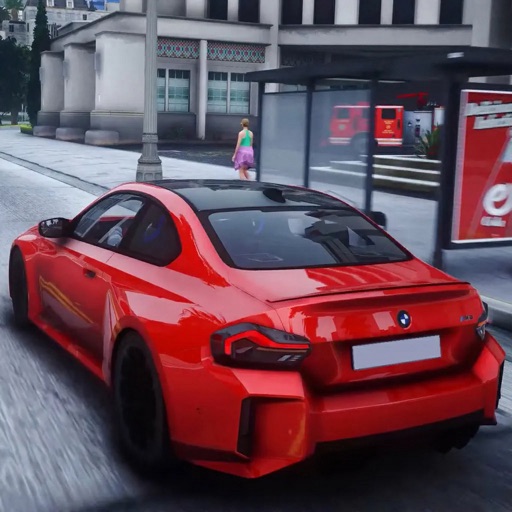
While you can’t download the full GTA 5 directly to your phone as a native app, several mobile games offer similar experiences. These games are designed specifically for mobile hardware and touchscreen controls, providing GTA-style gameplay in a more accessible package.
Gangster Games with Open-World Mechanics
The mobile gaming market is filled with open-world crime games that take clear inspiration from the GTA franchise. These apps typically feature carjacking, mission-based gameplay, weapon systems, and expansive cities to explore.
Many of these games are free-to-play with optional in-app purchases. While they don’t match GTA 5’s production value, they’re optimized for mobile devices and can provide hours of entertainment without requiring an internet connection for single-player modes.
Graphics and Performance Considerations
Mobile GTA-style games naturally feature simplified graphics compared to the console version. However, modern smartphones can render impressive visuals, and many of these games showcase detailed environments, realistic physics, and smooth framerates on capable devices.
Your experience will vary depending on your phone’s specifications. Devices with powerful processors like the Snapdragon 8 series or Apple’s A-series chips will handle these games with ease, while budget phones may need to reduce graphics settings.
Setting Up Your Mobile Device for GTA Gaming
Whether you’re streaming or playing mobile alternatives, proper setup enhances your experience significantly. Here are essential tips to optimize your device for GTA-style gaming.
Controller Compatibility and Options
Touchscreen controls work for mobile games designed around them, but streaming GTA 5 from cloud services or your console really benefits from a physical controller. Most Bluetooth controllers are compatible with both Android and iOS devices.
Popular options include the Xbox Wireless Controller, PlayStation DualSense, and dedicated mobile controllers like the Backbone One or Razer Kishi. These controllers offer precise analog sticks and button layouts that match the original GTA 5 control scheme.
Internet Connection Requirements
For cloud gaming and streaming services, your internet connection is the most critical factor. A minimum of 10 Mbps is recommended, but 20 Mbps or higher provides a much smoother experience with less lag and better image quality.
Use a 5GHz Wi-Fi connection when possible, as it typically offers better performance than 2.4GHz networks. If you’re using mobile data, ensure you have a strong 4G or 5G signal and be aware that streaming games consumes significant data—potentially several gigabytes per hour.
Common Issues and Troubleshooting
Playing demanding games on mobile devices comes with challenges. Understanding common issues helps you resolve them quickly and get back to gaming. 🔧
Lag and Input Delay
Input lag is the most frustrating issue when streaming games. This delay between pressing a button and seeing the action on screen can make driving and shooting in GTA 5 extremely difficult.
To minimize lag, close background apps that might be using bandwidth, move closer to your Wi-Fi router, or connect via Ethernet if your setup allows. Some routers offer gaming modes or Quality of Service (QoS) settings that prioritize gaming traffic over other internet activities.
Battery Drain and Device Heating
Gaming on mobile devices is power-intensive. Both streaming and running native games will drain your battery quickly and cause your device to heat up. This is normal but can be managed.
Consider playing while connected to a charger for extended sessions. Remove any phone case that might trap heat, and take breaks if your device becomes uncomfortably warm. Some gaming accessories include built-in cooling fans designed specifically for mobile gaming.
Connection Drops and Stability
Nothing’s more frustrating than your connection dropping during an intense mission. Network stability is crucial for cloud gaming and streaming.
If you experience frequent disconnections, test your internet speed and consider upgrading your plan if necessary. Using a wired connection for your router’s uplink and ensuring no one else is streaming or downloading large files during your gaming session can help maintain stability.
Safety and Security Considerations
The popularity of GTA 5 has unfortunately led to numerous scams and malicious apps claiming to offer the game on mobile. Protecting your device and personal information should be a top priority. 🔒
Avoiding Fake Apps and Scams
No legitimate full version of GTA 5 exists as a standalone mobile download. Any app claiming to be “GTA 5 Mobile” or offering a direct download of the complete game is either a scam, contains malware, or is an unauthorized modified version that could compromise your device.
Only download apps from official stores like Google Play and the Apple App Store. Read reviews carefully, check the developer’s credentials, and be skeptical of apps with suspiciously high install counts paired with poor reviews.
Account Security for Cloud Gaming
When using cloud gaming services, you’re logging into accounts that may be connected to payment methods and personal information. Always use strong, unique passwords and enable two-factor authentication on your Xbox, PlayStation, and Steam accounts.
Never share your login credentials with anyone, and be cautious of phishing attempts that impersonate these gaming services. Legitimate companies will never ask for your password via email or text message.
Optimizing Your GTA Mobile Experience
Once you’ve chosen your method for playing GTA 5 or similar games on mobile, several optimization strategies can enhance your enjoyment and performance.
Graphics Settings and Quality Adjustments
For cloud gaming services, you can often adjust stream quality settings. Higher quality settings provide better visuals but require more bandwidth and processing power. If you’re experiencing stuttering or lag, reducing the stream quality to 720p instead of 1080p can dramatically improve performance.
For native mobile GTA-style games, explore the in-game graphics settings. Reducing shadow quality, draw distance, or particle effects can boost framerates on less powerful devices without significantly impacting visual quality.
Creating an Ideal Gaming Environment
Your physical gaming environment matters more than you might think. Playing in a well-lit area reduces eye strain during extended sessions. Position yourself comfortably, especially if using a controller, to avoid hand and wrist discomfort.
Consider using headphones for better audio immersion and to avoid disturbing others. Many wireless earbuds introduce audio delay, so wired headphones or low-latency wireless models are preferable for gaming.
The Future of GTA on Mobile Devices
The mobile gaming landscape continues to evolve rapidly. Understanding where technology is heading can help you make informed decisions about your gaming setup and expectations.
Advancing Cloud Gaming Technology
Cloud gaming services are constantly improving. Companies like Microsoft, Sony, and NVIDIA are investing heavily in reducing latency, improving visual quality, and expanding their game libraries. As 5G networks become more widespread, mobile cloud gaming will become increasingly viable even when away from Wi-Fi.
Future developments may include features like variable refresh rates, HDR streaming, and even better compression algorithms that maintain visual quality while using less bandwidth.
Potential for Official Mobile Releases
While Rockstar Games hasn’t announced an official GTA 5 mobile port, they have successfully adapted other titles for mobile platforms. GTA: San Andreas, Vice City, and III are all available as native mobile apps, proving that Rockstar understands the mobile market.
The upcoming GTA VI might include mobile considerations from the start, potentially offering companion apps or streaming optimization. The success of cloud gaming may influence Rockstar’s strategy regarding mobile access to their flagship titles. 🚀
Making the Right Choice for Your Gaming Needs
Choosing the best method to play GTA 5 on mobile depends on your specific situation, available hardware, and gaming preferences. Each approach offers distinct advantages and limitations.
If you already own GTA 5 on Xbox, PlayStation, or PC and have a strong internet connection, cloud gaming or remote play services offer the most authentic experience. You’ll be playing the actual game with all its features, missions, and online capabilities.
For players without access to the console or PC version, mobile GTA-style alternatives provide a more accessible entry point. While they’re not GTA 5, many offer surprisingly engaging open-world gameplay designed specifically for mobile devices.
Budget considerations also play a role. Cloud gaming services typically require monthly subscriptions, while many mobile alternatives are free-to-play or available for a one-time purchase.
Enhancing Your Mobile Gaming Journey
Beyond just getting the game running on your phone, several additional steps can elevate your entire mobile gaming experience to new heights.
Join online communities dedicated to mobile gaming and GTA. These forums and social media groups share tips, troubleshooting advice, and updates about new features or services. The collective knowledge of experienced mobile gamers can help you overcome challenges and discover features you might have missed.
Experiment with different settings and configurations. What works perfectly for one player might not suit another due to differences in devices, internet connections, and personal preferences. Don’t be afraid to adjust settings, try different controllers, or switch between gaming methods until you find your ideal setup.
Keep your apps and operating system updated. Developers regularly release updates that improve performance, fix bugs, and add new features. These updates often include optimizations specifically for gaming performance.
Most importantly, remember that mobile gaming should be enjoyable. If you find yourself frustrated with technical issues or performance problems, take a break and return with fresh perspective. The goal is entertainment, not stress. 🎯
The world of mobile gaming continues to expand, offering more options than ever before for experiencing your favorite titles on the go. While playing GTA 5 on mobile requires some workarounds and compromises compared to traditional platforms, the freedom and convenience it provides make these trade-offs worthwhile for many players. With the right setup, expectations, and approach, you can genuinely enjoy Los Santos from the palm of your hand.
