
Anúncios
Is your phone battery draining faster than usual? You’re not alone. Millions of smartphone users struggle daily with poor battery performance, and the right app can make all the difference.


Battery anxiety has become a real phenomenon in our hyper-connected world. We constantly check our battery percentage, carry power banks everywhere, and panic when that red indicator appears. But what if there was a smarter way to manage your device’s energy consumption?
Anúncios
Battery optimization apps have evolved significantly over the years. They’re no longer just simple task killers that promise miracles but deliver disappointment. Modern battery management tools use sophisticated algorithms to analyze your usage patterns, identify power-hungry apps, and provide actionable insights to extend your device’s runtime between charges.
🔋 Understanding Why Your Battery Drains So Fast
Before diving into optimization solutions, it’s essential to understand the culprits behind rapid battery depletion. Your smartphone is essentially a powerful computer in your pocket, running multiple processes simultaneously, and each one consumes precious energy.
Anúncios
Screen brightness remains the biggest battery vampire for most users. That gorgeous AMOLED or LCD display requires substantial power, especially when set to maximum brightness. Background app refresh is another silent killer—apps constantly checking for updates, syncing data, and sending notifications even when you’re not actively using them.
Location services deserve special mention. GPS tracking is incredibly power-intensive, and many apps request location access unnecessarily. Social media platforms, navigation apps, and even weather widgets can drain your battery by constantly pinging satellites to determine your position.
Wireless connectivity features like Bluetooth, Wi-Fi, and mobile data also contribute significantly to battery consumption. When your phone constantly searches for networks or maintains connections, it uses energy that could otherwise keep your device running longer.
📱 How Battery Optimization Apps Actually Work
Legitimate battery optimization apps function as intelligent monitors and managers for your device’s power consumption. They don’t magically create extra battery capacity, but they help you use what you have more efficiently.
These applications track which apps consume the most energy and when. They provide detailed statistics showing exactly where your battery power goes throughout the day. This transparency empowers you to make informed decisions about which apps to limit or uninstall.
Many optimization apps include automated power-saving modes that activate when your battery reaches certain thresholds. These modes might reduce screen brightness, limit background processes, disable vibrations, or adjust sync frequencies to conserve energy during critical moments.
Real-Time Monitoring Capabilities ⚡
The best battery apps offer real-time monitoring dashboards that display current consumption rates, estimated remaining time, and temperature readings. Temperature monitoring is particularly important because overheating accelerates battery degradation over time.
Some advanced apps even predict how long your battery will last based on your current usage patterns. If you’re streaming video, the app calculates remaining time differently than if you’re just reading emails. This predictive feature helps you plan your day without unexpected shutdowns.
🎯 Key Features to Look For in Battery Optimization Apps
Not all battery apps are created equal. Some are genuinely helpful, while others are disguised adware or resource hogs that ironically drain your battery faster. Here’s what separates the quality options from the pretenders.
First and foremost, look for apps with minimal permissions requests. If a battery app asks for access to your contacts, messages, or camera, that’s a red flag. Legitimate optimization tools only need access to battery statistics and system settings.
Detailed analytics and reporting capabilities distinguish professional-grade apps from basic utilities. You should be able to see hourly, daily, and weekly consumption patterns, identify trends, and track improvements after making changes.
- Battery health assessment and degradation tracking
- Custom power-saving profiles for different scenarios
- App-specific battery usage breakdowns
- Charging optimization and alerts
- Temperature monitoring and cooling suggestions
- Screen-on time statistics and recommendations
- One-tap optimization for quick power savings
🛡️ Security and Privacy Considerations
Privacy should never be compromised in the pursuit of better battery life. Research the developer behind any battery app before installation. Check reviews, look for transparency about data collection practices, and verify that the app doesn’t contain aggressive advertising or suspicious permissions.
Some battery apps have been caught collecting user data and selling it to third parties. Others install persistent notifications that clutter your notification shade with ads disguised as battery warnings. Stick with well-reviewed apps from reputable developers to avoid these pitfalls.

💡 Practical Tips to Maximize Battery Performance
While optimization apps provide valuable assistance, they work best when combined with smart usage habits. Small adjustments to how you use your smartphone can dramatically extend battery life without sacrificing functionality.
Adaptive brightness might seem convenient, but manual control often yields better results. Set your screen brightness to the lowest comfortable level—you’ll be surprised how quickly you adapt to slightly dimmer displays. In most environments, 40-50% brightness is perfectly adequate.
Review your notification settings ruthlessly. Do you really need push notifications from every app? Each notification wakes your screen, triggers vibrations, and potentially launches background processes. Disable notifications for non-essential apps and use manual checking instead.
Managing Background Processes Effectively 🔄
Background app refresh is convenient but costly. Navigate to your device settings and disable this feature for apps that don’t require real-time updates. Your social media feeds can wait until you actually open the app—there’s no need for constant background refreshing.
Automatic app updates can drain battery at inconvenient times. Configure your device to update apps only when connected to Wi-Fi and charging. This prevents unexpected battery drain from large downloads happening during your workday.
🌟 Advanced Optimization Strategies
Once you’ve mastered the basics, several advanced techniques can squeeze even more runtime from your device. These strategies require slightly more technical knowledge but deliver impressive results.
Dark mode isn’t just aesthetically pleasing—on OLED and AMOLED screens, it significantly reduces power consumption. These display technologies illuminate individual pixels, so black pixels are actually turned off. Using dark themes can extend battery life by 15-20% on compatible devices.
Reducing animation speeds might seem unrelated to battery life, but smoother, faster animations mean your processor works harder. Navigate to developer options (if available on your device) and reduce animation scales to 0.5x or disable them entirely for marginal battery improvements.
| Setting | Battery Impact | User Experience Impact |
|---|---|---|
| Screen Brightness (50% vs 100%) | High – Save 20-30% | Low – Barely noticeable indoors |
| Location Services Always On | Very High – Save 15-25% | Medium – Manual permission needed |
| Background App Refresh | Medium – Save 10-15% | Low – Minor convenience loss |
| Push Email vs Fetch | Medium – Save 5-10% | Low – Slight delay in emails |
| Dark Mode (OLED screens) | Medium – Save 15-20% | Very Low – Aesthetic preference |
📊 Monitoring Battery Health Over Time
Battery degradation is inevitable, but monitoring health metrics helps you understand when it’s time for a replacement. Lithium-ion batteries typically retain 80% capacity after 500 complete charge cycles, but usage patterns significantly affect this timeline.
Quality battery apps track maximum capacity compared to design capacity, showing exactly how much your battery has degraded. This information proves valuable when deciding whether performance issues stem from software problems or genuine battery aging.
🚫 Common Battery Myths You Should Ignore
Battery management advice is plagued by persistent myths that refuse to die despite modern technology rendering them obsolete. Let’s clear up some misconceptions that might be guiding your charging habits incorrectly.
The “complete discharge before charging” myth originated with nickel-based batteries that suffered from memory effect. Modern lithium-ion batteries actually prefer partial discharge cycles. Regularly draining your battery to zero can actually accelerate degradation.
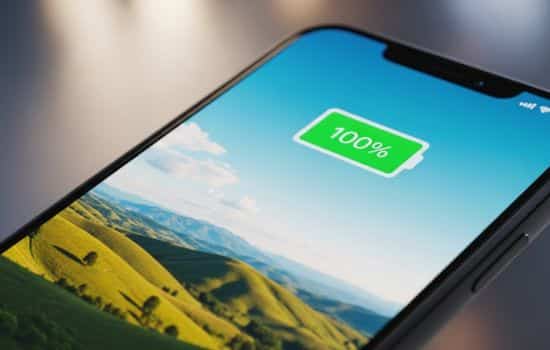
Overnight charging won’t damage your battery. Smartphones have sophisticated charging controllers that stop drawing power once the battery reaches 100%. However, keeping your battery at 100% constantly can contribute to long-term degradation, which is why some manufacturers now include features to limit charging to 80% overnight.
Closing apps from the multitasking menu doesn’t necessarily save battery. In fact, it might do the opposite. Modern operating systems manage background processes efficiently, suspending apps that aren’t actively in use. Forcefully closing and reopening apps requires more processing power than leaving them suspended.
🔧 Built-In Battery Management vs Third-Party Apps
Both Android and iOS have significantly improved their native battery management features in recent years. These built-in tools might be sufficient for many users, raising the question of whether third-party apps are even necessary.
iOS provides detailed battery usage statistics, showing which apps consume the most power over the last 24 hours or 10 days. It offers suggestions for reducing battery drain, like enabling low power mode or adjusting display settings. However, iOS’s closed ecosystem limits what third-party apps can access and control.
Android’s battery management varies by manufacturer. Stock Android includes adaptive battery features that learn your usage patterns and restrict battery access for infrequently used apps. Samsung, Xiaomi, and other manufacturers add their own battery optimization layers with varying degrees of effectiveness.
When Third-Party Apps Add Value 📲
Third-party battery apps excel at providing more granular data and customization options than built-in tools. They offer historical tracking spanning weeks or months, detailed charging cycle counts, and more sophisticated alerts for specific conditions.
For power users who want complete control over their device’s energy consumption, dedicated battery apps provide automation capabilities that native tools lack. You can create custom profiles that trigger based on time, location, or battery percentage, automatically adjusting multiple settings simultaneously.
⚙️ Optimizing Charging Habits for Longevity
How you charge your device impacts battery health as much as how you use it. Adopting optimal charging practices extends your battery’s effective lifespan significantly, delaying the need for expensive replacements.
Maintaining your battery between 20-80% charge is ideal for longevity. This range minimizes stress on the battery’s chemistry. While inconvenient, avoiding both complete discharge and extended periods at 100% charge preserves maximum capacity longer.
Fast charging is convenient but generates more heat, which accelerates battery degradation. When time permits, use standard charging speeds instead of rapid charging. Overnight charging with a standard charger is actually gentler on your battery than quick-charging multiple times daily.
Temperature management during charging matters enormously. Never charge your phone in hot environments like direct sunlight or enclosed spaces with poor ventilation. Remove thick cases during charging to prevent heat buildup. If your device feels hot while charging, disconnect it and let it cool before resuming.
🎓 Understanding Battery Capacity and Chemistry
A basic understanding of battery technology helps you make informed decisions about optimization and charging. Lithium-ion batteries power virtually all modern smartphones, and their chemical properties dictate best practices.
Battery capacity is measured in milliampere-hours (mAh), indicating how much charge the battery holds. A 4000mAh battery theoretically supplies 4000 milliamps for one hour, or 2000 milliamps for two hours. However, actual runtime depends on how efficiently your device uses that stored energy.
Voltage and capacity work together to determine total energy storage, measured in watt-hours. This explains why devices with similar mAh ratings can have different battery life—efficiency matters as much as raw capacity.
🌍 Environmental Benefits of Battery Optimization
Extending your battery’s lifespan isn’t just about convenience and cost savings—it has genuine environmental implications. Smartphone batteries contain lithium, cobalt, and rare earth elements that require environmentally destructive mining processes.
By maximizing your battery’s useful life and delaying device replacement, you reduce demand for new battery production. Proper battery optimization can extend a device’s usable lifespan by 6-12 months, significantly reducing electronic waste.
When your battery eventually needs replacement, proper recycling is crucial. Many electronics retailers and manufacturers offer battery recycling programs that safely recover valuable materials while preventing toxic substances from entering landfills.
🏆 Making the Most of Your Battery Investment
Your smartphone battery represents a significant portion of your device’s value and functionality. Treating it with appropriate care ensures optimal performance throughout your device’s lifespan, maximizing your investment.
Battery optimization apps serve as valuable tools in this process, providing insights and automation that complement smart usage habits. They help you identify problem areas, track improvements, and maintain awareness of your device’s energy consumption patterns.
Remember that battery technology continues evolving. Solid-state batteries and other innovations promise longer lifespans and faster charging in future devices. Until then, current lithium-ion technology requires thoughtful management to deliver the best possible experience.
Start with small changes—adjust your screen brightness, review your notification settings, and monitor which apps drain the most power. These simple steps often deliver surprising improvements without requiring sophisticated optimization apps or drastic usage changes.
Whether you choose a dedicated battery optimization app or rely on built-in tools, the key is consistent attention to power management. Your future self will appreciate the extra hours of battery life when you need them most, whether that’s during travel, long workdays, or unexpected emergencies where every percentage point matters.
