
Anúncios
In today’s digital age, protecting your personal data has become more important than ever, especially when it comes to sensitive photos and applications stored on your smartphone.


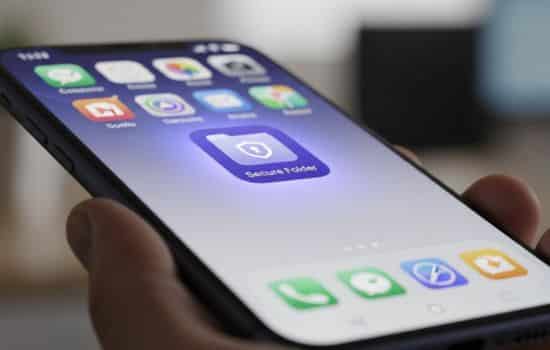
Whether you’re concerned about prying eyes, potential phone theft, or simply want to maintain privacy from family and friends, secure folder apps offer a practical solution. These applications create an encrypted vault where you can hide photos, videos, documents, and even other apps behind password protection or biometric authentication.
Anúncios
The market is flooded with countless options promising to safeguard your private content, but choosing the right one requires understanding what features matter most. From military-grade encryption to decoy modes and cloud backup capabilities, modern secure folder apps have evolved far beyond simple password protection. Let’s explore everything you need to know about these digital vaults and how they can protect your privacy. 🔒
Why You Need a Secure Folder App in 2024
Privacy isn’t just about having something to hide—it’s about maintaining control over your personal information. With smartphones containing our entire digital lives, from banking apps to intimate photos, the need for additional security layers has never been more critical.
Anúncios
Consider the various scenarios where your phone might end up in someone else’s hands: lending it to a friend to make a call, getting it repaired at a service center, or the unfortunate event of theft. In all these situations, a secure folder app acts as your last line of defense, ensuring that even if someone gains access to your device, your most sensitive content remains protected.
Beyond physical security, these apps also protect against malware and unauthorized app access. Some malicious software specifically targets photo galleries and messaging apps to steal personal information. A properly encrypted secure folder makes this type of attack significantly more difficult to execute successfully.
Essential Features to Look For 🔍
Not all secure folder applications are created equal. When choosing the right protection for your private data, certain features should be non-negotiable while others serve as valuable bonuses depending on your specific needs.
Encryption Standards That Actually Matter
The foundation of any secure folder app lies in its encryption technology. Look for applications that use AES-256 encryption, which is the same standard used by governments and military organizations worldwide. This level of encryption ensures that even if someone manages to access the raw data files, they’ll be completely unreadable without the proper decryption key.
Some apps advertise “bank-level security” without specifying their exact encryption methods. Be wary of vague security claims and always verify that the app explicitly mentions its encryption algorithm. Transparency about security measures is usually a good indicator of a trustworthy application.
Multiple Authentication Options
While password protection is standard, the best secure folder apps offer multiple authentication methods. Fingerprint scanning, face recognition, and PIN codes provide different levels of convenience and security. Having multiple options allows you to choose what works best for different situations.
For instance, biometric authentication is quick and convenient for daily use, but having a backup PIN code ensures you can still access your files if the biometric sensor fails or you’re wearing gloves. Some premium apps even offer pattern locks and security questions as additional backup methods.

Decoy and Stealth Modes
One clever feature offered by advanced secure folder apps is the decoy mode. This allows you to create a fake vault with harmless content that you can quickly open if someone demands access to your phone. Meanwhile, your actual secure folder remains completely hidden and accessible only through a special authentication method.
Stealth mode takes this concept further by disguising the app itself. Instead of displaying an obvious “Secure Folder” icon, the app might appear as a calculator, weather widget, or any other innocuous application. This prevents people from even knowing you’re using privacy protection software in the first place.
Top Use Cases for Secure Folder Apps 📱
Understanding how people actually use these applications can help you determine which features matter most for your situation. Here are the most common scenarios where secure folder apps prove invaluable.
Protecting Personal Photos and Videos
This remains the primary use case for most users. Whether it’s vacation photos, personal selfies, or any images you’d rather keep private, a secure folder ensures these memories stay safe from accidental discovery. Many users also protect photos of important documents like passports, insurance cards, and identification papers.
The best apps in this category offer built-in photo and video viewers, so you never need to move files out of the secure folder to view them. Some even include basic editing tools, allowing you to crop, rotate, or enhance images without compromising security.
Hiding Sensitive Applications
Beyond media files, modern secure folder apps can hide entire applications. This proves particularly useful for dating apps, private messaging services, financial applications, or anything else you’d prefer to keep discreet. When hidden, these apps won’t appear in your app drawer or recent apps list, making them virtually invisible to casual observers.
This feature also helps prevent unauthorized access to apps containing sensitive information. Even if someone unlocks your phone, they won’t be able to open banking or investment apps that are safely tucked away in your secure folder.
Securing Work-Related Content
Professionals who handle confidential business information increasingly rely on secure folder apps to separate work and personal content on the same device. This is particularly important for freelancers, consultants, and remote workers who might not have company-issued devices with enterprise mobile management solutions.
Client documents, project files, confidential emails, and proprietary information all deserve protection beyond standard device security. A secure folder creates a clear boundary and adds an extra authentication layer specifically for professional content.
How to Choose the Right Secure Folder App for Your Needs ✅
With dozens of options available on both Android and iOS platforms, selecting the ideal secure folder app requires evaluating your specific requirements against available features. Here’s a systematic approach to making the right choice.
Assess Your Primary Security Concerns
Start by identifying what you’re most worried about. Is it physical theft? Snooping family members? Potential data breaches? Different threats require different security approaches. If physical access is your main concern, strong authentication and decoy modes matter most. If you’re worried about remote attacks, encryption strength and cloud security become paramount.
Make a list of your must-have features versus nice-to-have extras. This prevents getting distracted by flashy features that don’t actually improve security for your specific situation. Remember that more features often mean more complexity, which can sometimes create security vulnerabilities.
Consider Storage Capacity Requirements
Different apps handle storage differently. Some store encrypted files directly on your device, consuming local storage space. Others offer cloud storage options, either through their own servers or integration with services like Google Drive or Dropbox. Each approach has trade-offs in terms of accessibility, backup options, and potential security risks.
Calculate approximately how much content you need to protect. If you’re securing hundreds of high-resolution photos and videos, you’ll need either substantial device storage or reliable cloud backup. Free versions of secure folder apps often limit storage capacity, so factor in potential subscription costs if you have large storage needs.
Check User Reviews and Independent Security Audits
Before trusting any app with your sensitive data, research its reputation thoroughly. Look for independent security audits by reputable cybersecurity firms. These audits verify that the app actually implements the security measures it advertises and doesn’t contain hidden vulnerabilities or data collection practices.
User reviews provide valuable insights into real-world performance and reliability. Pay special attention to reviews mentioning data loss, recovery issues, or unexpected behavior after updates. A pattern of complaints about lost files or buggy behavior should raise immediate red flags. 🚩
Setting Up Your Secure Folder the Right Way
Installing the app is just the beginning. Proper configuration ensures maximum security and prevents future headaches. Follow these best practices when setting up your digital vault.
Create a Strong, Memorable Authentication Method
Your secure folder is only as strong as its authentication. Avoid obvious passwords like birthdates, simple number sequences, or commonly used words. If using a PIN, choose at least 6 digits and avoid patterns that are easy to guess by observing finger movements on the screen.
For biometric authentication, ensure you’ve also set up a strong backup method. Fingerprint sensors can fail due to moisture, injuries, or hardware issues. Face recognition might not work in poor lighting conditions. Always have a reliable backup authentication method that you can remember even under stress.
Organize Content Strategically
Don’t just dump everything into the secure folder indiscriminately. Create a logical folder structure that makes finding files easy without compromising security. Some users prefer organizing by content type (photos, documents, apps), while others organize by sensitivity level or project.
Consider what would happen if you needed to quickly access specific files in an emergency. Good organization ensures you can find what you need without fumbling around, which might draw unwanted attention to your secure folder’s existence.
Set Up Backup and Recovery Options
This step is crucial yet often overlooked. Before storing important content in your secure folder, verify that the app offers reliable backup options. Losing your phone or experiencing app corruption shouldn’t mean losing irreplaceable photos or critical documents.
Many premium secure folder apps offer encrypted cloud backup. This protects your files even if something happens to your device. Just ensure that the cloud storage itself is properly secured and that you understand the provider’s data handling policies. Some apps also allow exporting encrypted backup files to external storage that you control.
Common Mistakes to Avoid ⚠️
Even with a robust secure folder app, certain user errors can compromise your privacy. Awareness of these common pitfalls helps you maintain optimal security.
Using the Same Password Everywhere
Never use your device unlock password as your secure folder password. If someone manages to observe or guess your device password, they’ll immediately try it on any secure apps they find. Always use a unique password for your secure folder that differs from all your other authentication methods.
Password managers can help you generate and remember strong, unique passwords for different purposes. However, be cautious about storing your secure folder password in a cloud-synced password manager, as this could create an additional vulnerability.
Forgetting to Clear Thumbnails and Caches
Many users don’t realize that moving photos to a secure folder might not automatically delete thumbnails from the device’s cache or recently deleted folders. After transferring sensitive content, manually check your gallery’s recently deleted album and clear it completely.
Some secure folder apps include features to automatically clean up these traces, but it’s wise to verify manually, especially after the initial setup. Check messaging apps, social media platforms, and photo editing software for cached versions of protected images.
Ignoring App Updates
Security apps require regular updates to address newly discovered vulnerabilities and improve protection against emerging threats. Enable automatic updates for your secure folder app or make a habit of manually checking for updates at least monthly.
That said, read update notes carefully. Occasionally, major updates change how the app works or modify backup procedures. Understanding these changes before updating prevents confusion or potential data loss. If possible, ensure you have a current backup before installing major updates.
Advanced Features Worth Exploring 🚀
Once you’re comfortable with basic secure folder functionality, several advanced features can enhance both security and convenience.
Break-In Alerts and Intruder Detection
Some secure folder apps include clever anti-tampering features. These might photograph anyone who enters an incorrect password, log failed access attempts with timestamps, or even send alerts to a trusted email address if multiple failed attempts occur.
These features serve dual purposes: they provide evidence if someone is actively trying to access your secure content, and they deter casual snooping by making people aware that their attempts are being recorded. The psychological effect alone often prevents unauthorized access attempts.
Private Browsing and Encrypted Communication
Premium secure folder apps sometimes include integrated private browsers that don’t save history, cache, or cookies. This allows you to browse sensitive websites without leaving traces on your device. Some even include encrypted messaging features or secure note-taking capabilities.
While these extras aren’t essential for everyone, they provide convenience by consolidating multiple privacy tools into a single application. This reduces the number of security apps you need to manage and decreases the overall attack surface on your device.
Scheduled Locking and Auto-Lock Features
Auto-lock ensures your secure folder closes after a specified period of inactivity, even if you forget to manually lock it. This prevents situations where you leave the folder open and someone gains access while the device is briefly unattended.
Some apps also offer location-based or time-based auto-locking. For instance, your secure folder might automatically lock when you arrive at work or during specific hours. These intelligent automation features adapt security to your routine without requiring constant manual management.
Privacy Considerations Beyond the App 🔐
A secure folder app is just one component of comprehensive mobile privacy. Understanding the broader context helps you make informed decisions about your digital security strategy.
App Permissions and Data Collection
Ironically, some secure folder apps themselves collect unnecessary user data. Before installing, carefully review the permissions the app requests. A legitimate secure folder app needs access to your storage and possibly your camera for break-in photos, but it shouldn’t require access to your contacts, call logs, or location unless those features are specifically explained.
Read the privacy policy, particularly sections about data collection, storage, and sharing. Reputable apps explicitly state that they cannot access your encrypted content and don’t collect information about what you’re protecting. Avoid apps with vague or concerning privacy policies, regardless of how feature-rich they appear.
Legal and Ethical Considerations
While secure folder apps serve legitimate privacy purposes, understanding your local laws regarding encrypted data is important. Some jurisdictions have laws requiring disclosure of encrypted content under certain circumstances. Refusing to provide passwords could have legal consequences in some situations.
Use these tools for legitimate privacy protection, not to hide illegal content or evade valid legal processes. The goal is protecting your reasonable privacy expectations, not creating immunity from all oversight. Understanding this distinction helps you make ethical choices about what content genuinely requires extra protection.
Making the Transition: Moving Your Content Securely
Once you’ve selected and configured your secure folder app, transferring existing content requires careful attention to avoid leaving traces or accidentally deleting important files.
Create a Complete Inventory First
Before moving anything, create a list or take screenshots of what you plan to protect. This inventory ensures nothing gets overlooked during the transfer and provides a reference if you need to verify everything moved successfully. Pay special attention to files in multiple locations—photos might exist in your gallery, messaging apps, and cloud storage simultaneously.
Organize the transfer by priority. Start with the most sensitive content, verify it’s properly secured and accessible in the secure folder, then move to less critical items. This staged approach prevents accidentally locking yourself out of important files if something goes wrong during the process.
Verify, Then Delete Original Files
After moving files to your secure folder, resist the urge to immediately delete the originals. First, verify that everything transferred correctly and that you can open and view the files within the secure folder. Test accessing the folder with all your configured authentication methods to ensure everything works as expected.
Only after confirming successful transfer should you delete original files. When deleting, use secure deletion methods if possible, or at minimum, empty all “recently deleted” folders and clear app caches. Some secure folder apps include features to automatically locate and securely delete original files after transfer, which can be more thorough than manual deletion.
Future-Proofing Your Privacy Strategy 💡
Digital security constantly evolves, and what protects you today might become vulnerable tomorrow. Building adaptability into your privacy approach ensures long-term protection.
Stay informed about emerging security threats and new protection technologies. Follow reputable cybersecurity news sources and pay attention to announcements from your secure folder app’s developers. When significant vulnerabilities are discovered in similar apps, consider whether your chosen solution might have similar issues.
Periodically review your secure folder contents. Items that needed protection six months ago might no longer be sensitive, while new files might require safeguarding. Regular reviews help you maintain a manageable collection rather than an overwhelming archive of outdated content.
Consider your exit strategy. What happens if your chosen app is discontinued, becomes unreliable, or is acquired by a company with questionable privacy practices? Having a plan for migrating to alternative solutions prevents panic decisions and potential data loss during transitions.
Balancing Security with Usability
The most secure system in the world is worthless if it’s so complicated that you avoid using it. Finding the right balance between protection and practicality ensures your privacy measures actually get implemented rather than abandoned.
Start with essential protections and gradually add security layers as you become comfortable with the system. Jumping directly to maximum security settings often creates frustration and increases the likelihood of lockouts or forgotten passwords. Build your security habits gradually for sustainable long-term privacy protection.
Remember that perfect security doesn’t exist. Every protective measure involves trade-offs between convenience, cost, and protection level. Your goal should be appropriate security for your actual risk level, not theoretical maximum security that doesn’t match your real-world needs or threats.
By thoughtfully implementing a secure folder app with proper configuration and realistic expectations, you create a practical privacy layer that protects your sensitive content without turning device usage into a constant security obstacle course. The best privacy solution is one you’ll actually use consistently, not the most complex option available. 🎯
