
Anúncios
Photo editing apps have transformed how we capture, enhance, and share our visual stories, making professional-grade tools accessible to everyone with a smartphone.


Whether you’re a social media enthusiast, aspiring photographer, or content creator, having the right photo editing app can dramatically elevate your visual content. These powerful tools fit right in your pocket, offering everything from basic adjustments to advanced features that rival desktop software.
Anúncios
The beauty of modern photo editing apps lies in their ability to democratize creativity. What once required expensive equipment and years of training is now available through intuitive interfaces designed for users of all skill levels. Let’s explore the essential features, top options, and practical tips to help you choose the perfect editing companion.
🎨 Why Mobile Photo Editing Has Become Essential
The shift toward mobile photography isn’t just a trend—it’s a fundamental change in how we create and consume visual content. Smartphones have become our primary cameras, and editing apps are the natural extension of this mobile-first approach.
Anúncios
Social media platforms thrive on visually compelling content, creating constant demand for polished, eye-catching images. Photo editing apps bridge the gap between casual snapshots and professional-looking posts, enabling anyone to produce content that stands out in crowded feeds.
Beyond social media, mobile editing offers unprecedented convenience. You can capture, edit, and share images within minutes, without transferring files between devices or launching complex desktop programs. This workflow efficiency has made mobile editing indispensable for modern creators.
🔍 Key Features to Look For in Photo Editing Apps
Not all editing apps are created equal. Understanding which features matter most will help you select tools that align with your creative needs and workflow preferences.
Essential Adjustment Tools
Every solid photo editor should offer comprehensive control over basic image parameters. Brightness, contrast, saturation, and exposure adjustments form the foundation of any editing workflow. These fundamental tools allow you to correct common issues and establish the overall mood of your images.
Advanced apps extend these basics with curves, levels, and selective adjustments that give you precision control over specific tonal ranges. White balance correction ensures colors appear natural, while sharpness and clarity tools enhance detail without introducing artifacts.
Creative Filters and Effects ✨
Filters provide instant style transformations, applying coordinated adjustments that create specific aesthetic looks. Quality apps offer diverse filter collections ranging from subtle enhancements to dramatic artistic effects.
The best filters are customizable, allowing you to adjust their intensity rather than applying them at full strength. This flexibility helps you achieve subtle refinements that complement your photos rather than overwhelming them.
Advanced Editing Capabilities
Professional-grade apps include layer support, enabling non-destructive editing workflows where you can stack adjustments, blend images, and create complex compositions. Masking tools let you apply effects to specific areas while protecting others.
Healing and cloning brushes remove unwanted elements from photos, while perspective correction tools fix distortion from wide-angle lenses or awkward shooting angles. These advanced features dramatically expand your creative possibilities.
📱 Top Photo Editing Apps Worth Exploring
The app ecosystem offers options for every editing style and skill level. Here’s a breakdown of standout choices that consistently deliver powerful features and intuitive experiences.
PicsArt: Comprehensive Creative Platform
PicsArt stands out as an all-in-one creative platform that combines traditional photo editing with artistic tools and social features. Its extensive toolkit includes everything from basic adjustments to AI-powered enhancements that automate complex edits.
The app shines in its creative effects library, offering thousands of stickers, frames, and artistic filters. Collage makers, drawing tools, and text options enable you to create elaborate compositions entirely within the app. The integrated community provides inspiration through millions of user-created edits and tutorials.
Background removal, hair color changes, and object manipulation demonstrate PicsArt’s AI capabilities. These features simplify tasks that traditionally required advanced skills and desktop software, making sophisticated edits accessible to casual users.

Adobe Lightroom Mobile: Professional Power
Lightroom Mobile brings desktop-class photo editing to smartphones with a workflow familiar to professional photographers. Its non-destructive editing approach preserves original files while allowing unlimited experimentation.
The app excels at batch editing through presets that apply consistent looks across multiple images. Cloud synchronization means edits made on your phone automatically sync to desktop versions, enabling seamless workflows across devices.
Selective adjustments using brushes and gradients provide surgical precision, while advanced color grading tools offer professional-level control. Raw file support appeals to serious photographers who want maximum image quality.
Snapseed: Google’s Editing Powerhouse
Snapseed delivers professional features through an exceptionally intuitive interface that feels natural even for beginners. Google’s acquisition ensured continued development and tight integration with Android devices.
The app’s selective adjustment tools stand out for their ease of use. Simply tap an area and swipe to modify specific regions without complex masking. Perspective correction, HDR effects, and healing brushes round out a comprehensive feature set.
Being completely free without subscriptions makes Snapseed particularly attractive. Despite the zero-cost entry, it doesn’t compromise on capabilities, offering depth comparable to premium alternatives.
💡 Practical Tips for Better Photo Edits
Having powerful tools matters little without understanding how to use them effectively. These practical strategies will help you create more compelling edits regardless of which app you choose.
Start with Good Source Material
Editing can enhance photos but can’t fix fundamentally flawed images. Proper lighting, composition, and focus during capture provide the foundation for successful edits. Even the most sophisticated apps struggle to salvage poorly shot photos.
Shoot in good light whenever possible, paying attention to exposure and avoiding extreme shadows or highlights. Enable HDR mode on your phone for high-contrast scenes, and use gridlines to improve composition.
Follow a Consistent Workflow 🎯
Developing a systematic approach ensures you don’t overlook important adjustments and helps maintain consistency across your portfolio. Most editors benefit from starting with global corrections before moving to selective refinements.
Begin by correcting exposure, white balance, and contrast to establish proper tonality. Next, adjust colors through saturation and vibrance controls. Apply creative effects and filters afterward, then finish with sharpening and final touches.
Practice Restraint
The most common editing mistake is going too far. Oversaturated colors, excessive contrast, and heavy-handed filters create unnatural-looking images that scream “overedited.”
Use adjustment sliders conservatively, stopping before effects become obvious. Step away from edits for a few hours and return with fresh eyes—you’ll often find you overdid certain adjustments. When in doubt, less is more.
🌟 Advanced Techniques for Creative Excellence
Once you’ve mastered basic adjustments, these advanced techniques can help differentiate your work and develop a signature style.
Color Grading for Mood
Professional color grading goes beyond simple saturation adjustments, manipulating specific color ranges to create emotional responses. Warm tones evoke comfort and nostalgia, while cool tones suggest calmness or melancholy.
Experiment with split toning, which adds different colors to highlights and shadows. This technique creates sophisticated looks that feel cinematic and polished. Many apps offer preset color grades you can customize for your images.
Selective Adjustments and Masking
Applying adjustments selectively allows you to guide viewer attention and balance complex compositions. Brighten subjects while darkening backgrounds to create separation, or enhance specific colors while muting others.
Use radial and gradient masks to naturally direct light effects across images. These tools simulate real-world lighting conditions, adding depth and dimension that makes photos more engaging.
Texture and Clarity Enhancement
Texture and clarity adjustments enhance mid-tone contrast, bringing out fine details without affecting overall exposure. These controls add punch to portraits, landscapes, and architectural shots.
Apply texture to emphasize surfaces like fabric, wood, or stone. Use clarity sparingly—too much creates harsh, oversharpened appearances. These adjustments work particularly well on detail-rich subjects.
📊 Comparing Free vs. Premium Editing Apps
Understanding the tradeoffs between free and paid options helps you make informed decisions about where to invest your time and money.
| Aspect | Free Apps | Premium Apps |
|---|---|---|
| Feature Set | Basic to moderate tools | Comprehensive professional features |
| Advertisements | Frequent interruptions | Ad-free experience |
| Export Quality | May include watermarks | Full resolution, no branding |
| Updates | Occasional improvements | Regular feature additions |
| Support | Limited or community-based | Dedicated customer service |
| Cloud Storage | Minimal or none | Generous cloud integration |
Many excellent free apps exist, with Snapseed being a prime example. However, serious creators often find premium subscriptions worthwhile for the expanded capabilities and streamlined workflows they enable.
🚀 Optimizing Your Editing Workflow
Efficiency matters when you’re editing multiple images regularly. These workflow optimizations save time while maintaining quality.
Create and Use Presets
Presets store your favorite adjustment combinations for one-tap application to future photos. They ensure consistency across image series and dramatically speed up repetitive editing tasks.
Develop presets for different scenarios—outdoor portraits, food photography, landscape shots—that match your typical shooting conditions. Fine-tune preset results with minor adjustments rather than starting from scratch each time.
Batch Processing When Possible
Apps with batch capabilities let you apply edits to multiple images simultaneously. This feature proves invaluable for event photography or when processing photo series shot under similar conditions.
Select multiple images, apply a preset or adjustment set, then individually refine any photos requiring special attention. This approach combines efficiency with quality.
Organize Your Photo Library 📂
A well-organized library makes finding and editing specific images much easier. Use albums, tags, or ratings to categorize photos by subject, location, or intended use.
Many editing apps include built-in organization tools that sync with your device’s photo library. Take advantage of these features to maintain order as your image collection grows.
🎓 Learning Resources and Skill Development
Improving your editing skills requires ongoing learning. Fortunately, abundant resources exist to help you master photo editing apps.
YouTube hosts countless tutorials covering specific techniques, app walkthroughs, and style guides. Follow photographers whose aesthetic appeals to you and study their editing approaches. Many creators share before-and-after comparisons with detailed explanations of their processes.
Instagram and Pinterest provide endless inspiration through hashtags like #photoediting, #mobilephotography, and app-specific tags. Analyze images you admire, trying to identify which adjustments achieved particular effects.
Most premium apps offer official tutorials, courses, and documentation that explain advanced features. These resources come directly from the developers and provide authoritative guidance on maximizing app capabilities.
🔐 Privacy and Security Considerations
Photo editing apps often request extensive permissions and may upload your images to cloud servers. Understanding these privacy implications helps you make informed choices.
Review app permissions carefully before installation. Some apps require more access than necessary for their functionality. Be particularly cautious with apps requesting contacts, location, or other data unrelated to photo editing.
Read privacy policies to understand how companies handle your images. Reputable developers clearly explain data usage, storage duration, and whether images train AI models or appear in public galleries.
Consider using apps that process edits locally on your device rather than uploading to cloud servers. While cloud processing enables more powerful AI features, local processing ensures your photos never leave your control.
✨ Emerging Trends in Mobile Photo Editing
The photo editing landscape continues evolving rapidly, with new technologies reshaping what’s possible on mobile devices.
AI-Powered Enhancements
Artificial intelligence increasingly automates complex editing tasks. One-tap enhancements analyze image content and apply appropriate adjustments, while AI selection tools identify subjects with remarkable accuracy.
Sky replacement, object removal, and style transfer leverage AI to accomplish edits that previously required professional skills. These features continue improving, making sophisticated techniques accessible to everyone.
Augmented Reality Integration
AR features let you visualize edits in real-world contexts or apply effects that interact with your environment. These capabilities blur lines between photography, editing, and digital art.
Expect expanded AR functionality that transforms how we conceptualize and create edited images, enabling new forms of creative expression.
Enhanced Collaboration Tools
Modern apps increasingly support collaborative workflows where multiple users can contribute to editing projects. Cloud synchronization and commenting systems facilitate teamwork and professional review processes.
These social features transform editing from a solitary activity into a collaborative creative process, enabling new ways to learn from others and refine your work.
🎯 Choosing the Right App for Your Needs
With countless options available, selecting the ideal photo editing app requires considering your specific requirements, skill level, and creative goals.
Beginners should prioritize intuitive interfaces with guided tutorials and preset-driven workflows. Apps like PicsArt offer extensive creative options without overwhelming new users, while Snapseed provides professional capabilities through an accessible interface.
Intermediate users benefit from apps with comprehensive manual controls and non-destructive editing capabilities. Lightroom Mobile and similar professional tools reward users willing to invest time learning their deeper features.
Advanced creators need apps supporting raw files, layer-based editing, and advanced color grading. These users should also consider workflow integration—how editing apps connect with other creative tools they use.
Budget considerations matter too. Evaluate whether occasional editing needs justify subscription costs, or if capable free alternatives meet your requirements. Many users find that free apps handle 90% of their needs, making premium subscriptions unnecessary.
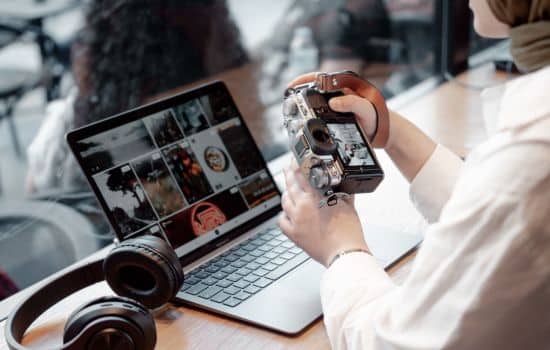
🌈 Developing Your Unique Editing Style
Technical proficiency with editing tools represents just half the equation. Developing a recognizable style sets your work apart and strengthens your creative identity.
Study photographers and editors whose work resonates with you. Analyze their color palettes, contrast preferences, and compositional approaches. Try replicating their styles as learning exercises, then incorporate elements that align with your vision.
Experiment broadly before committing to specific aesthetic choices. Try different editing approaches—moody and dark, bright and airy, saturated and vibrant—to discover what feels authentic to your perspective.
Consistency matters for developing a cohesive portfolio, but avoid becoming so rigid that your style stagnates. Allow your aesthetic to evolve naturally as your skills and tastes develop.
Remember that the best editing enhances rather than overshadows your photographs. Technical prowess should serve your creative vision, not become the focal point. When editing feels invisible—when viewers respond to your images rather than your effects—you’ve achieved editing mastery.
